

Feature
Social Media Compliance Software for Frontline Workers
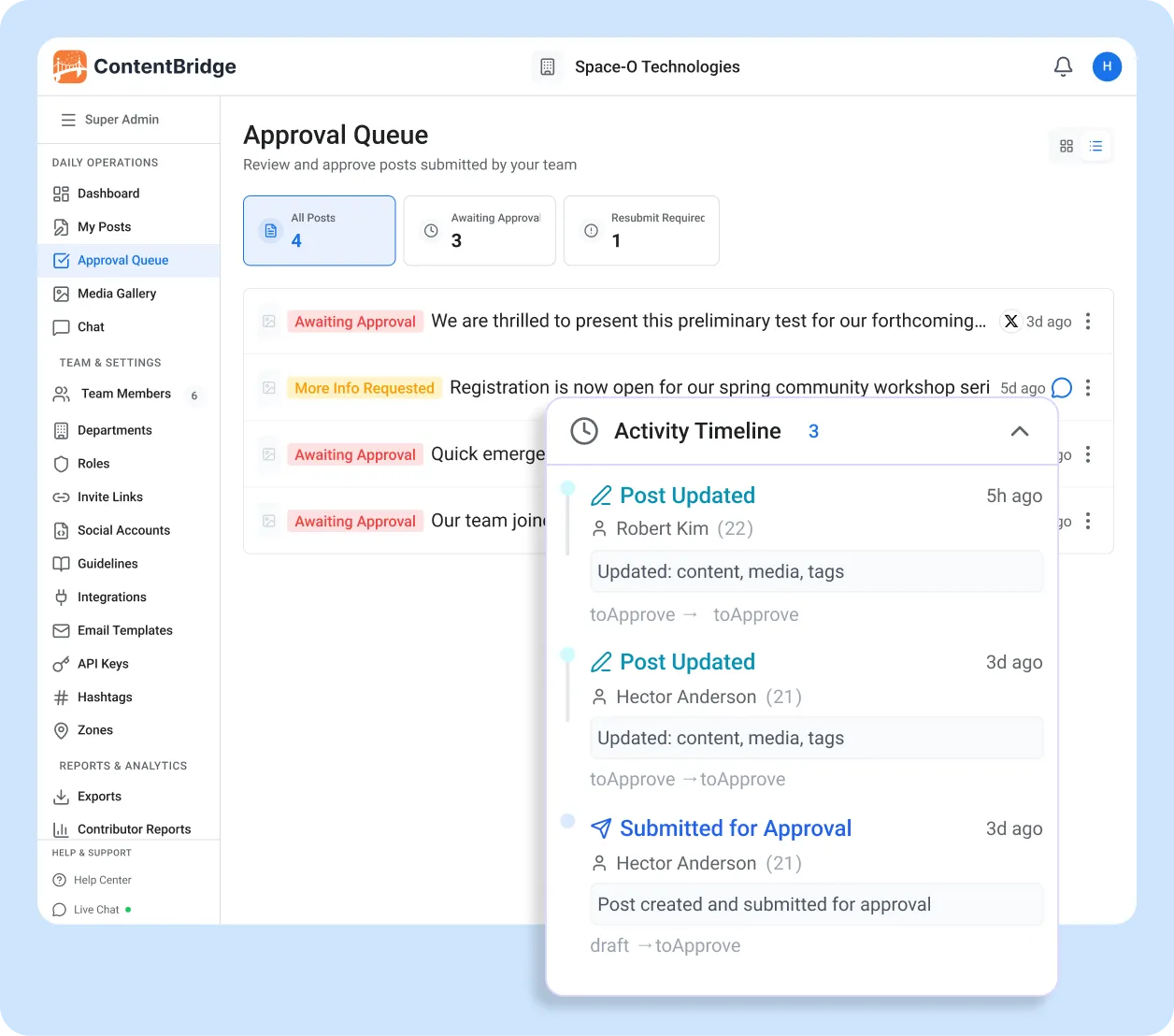
Every action on every post is logged with a timestamp and user attribution. Who created it, who reviewed it, what changed, who approved it, and when it went live. The full chain of custody is searchable, exportable, and cannot be modified or deleted by any user. Built to support PIPEDA, PHIPA, and ATIA requirements.
100%
of actions logged
Append-only
audit trail
CSV, PDF, Excel
exports
Why Most Organizations Fail Social Media Governance Without the Right Tools
According to Ponemon Institute, non-compliance costs 2.71 times more than maintaining compliance. Without social media compliance tools in place, here is where record keeping fails.

A Compliance Violation Goes Live and Nobody Can Trace Who Approved It
Without social media governance software tracking approvals, there is no way to trace who approved a post after it causes a violation. According to HIPAA Journal, Cadia Healthcare paid $182,000 for posting patient photos without documented authorization. The answer to “who approved this?” should never be a shrug.

Reconstructing Missing Records Costs More Than Keeping Them
Organizations without records management systems pay to reconstruct what they could have logged automatically. Prince William County Schools spent $110,776 in forensic fees to recover social media records they never archived. Ontario’s first PHIPA penalties in 2025 now reach $500,000 for organizations.

Regulators Are Now Fining Individuals, Not Just Organizations
Regulatory compliance accountability is becoming personal. FINRA fined a Wells Fargo advisor individually for deleting business messages on a personal device. Ontario’s Privacy Commissioner issued the province’s first monetary penalties under PHIPA in August 2025, signalling a shift across Canadian privacy legislation.
How ContentBridge Builds a Chain of Custody for Every Post
From the moment a frontline worker starts drafting to the moment the post goes live, every action is recorded. Here is what social media archiving looks like at each stage of the workflow when you use social media compliance tools built for enterprise governance.
Every Post Starts With a Recorded Origin
When a frontline worker creates a post, ContentBridge logs who created it, when, from which device, and with what content. If the creator uses AI suggestions to improve the caption or generate hashtags, those actions are logged separately. The original version is preserved even if the post is later edited.
- Creator identity, timestamp, and device recorded automatically
- Original content version preserved as a baseline
- AI-assisted edits logged as distinct actions
- GPS location captured if enabled by the organization
Every Review Action Is Timestamped and Attributed
As the post moves through your approval chain, each reviewer’s action is recorded: who opened it, when they reviewed it, whether they approved, rejected, or requested changes, and what comments they left. If a reviewer edits the post before approving, the edit is logged as a separate action with a before-and-after comparison.
- Approve, reject, and request-changes actions recorded with timestamps
- All threaded comments preserved as part of the audit trail
- Pre-approval edits by managers logged with version comparison
- Parallel reviewer actions recorded independently
Publication Is Recorded With Platform-Level Confirmation
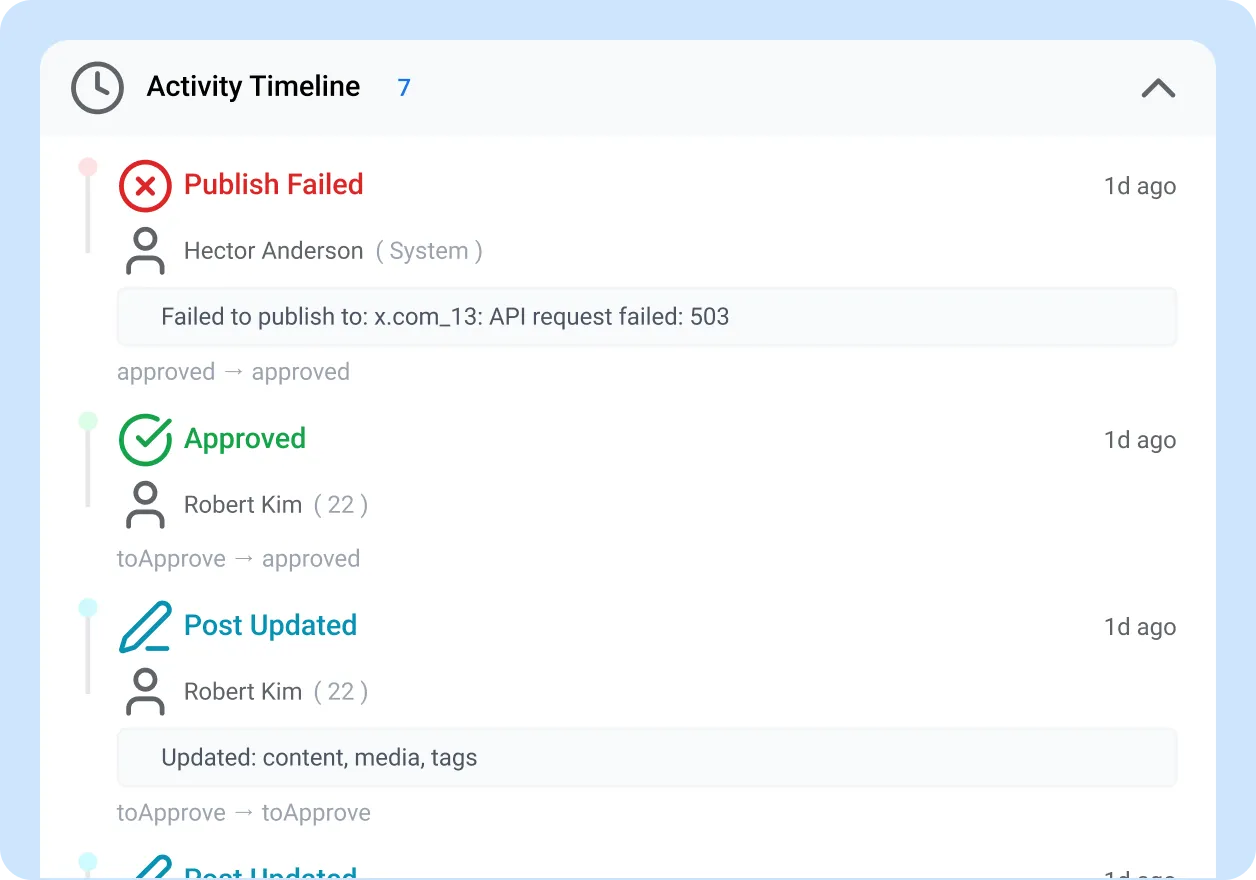
When the final approver signs off, ContentBridge publishes the post and logs the exact time, the platforms it was published to, and whether each platform publish succeeded or failed. If a publish fails on one platform, the retry action and its outcome are also recorded.
- Publication timestamp and target platforms recorded
- Per-platform success or failure status logged
- Retry actions and their outcomes tracked
- The exact version of the post that went live is locked in the trail
The Complete Record Is Searchable and Exportable on Demand
The full chain of custody for any post is available instantly. Search by date, creator, department, platform, or approval status. Export individual post histories or bulk records to CSV, PDF, or Excel. When an access to information request arrives, or an internal auditor needs records, you produce them in minutes instead of weeks.
- Search and filter across all posts by any field
- Export to CSV, PDF, and Excel with full approval history
- Bulk export by date range, department, or contributor
- Media files exportable as ZIP archives with metadata
What Makes ContentBridge Social Media Governance Software Different From a Spreadsheet
Spreadsheets and email threads are not records management. They are reconstructions after the fact. As social media policy management software, ContentBridge handles compliance record keeping automatically, with no manual logging required.

Append-Only, Tamper-Proof Logging
No user can edit or delete the audit trail, regardless of their role. Every action is written once and preserved permanently. This makes the record defensible for compliance audits, internal investigations, and legal proceedings, which is a core requirement of any social media governance framework.

Full Chain of Custody per Post
Every post has a complete history: creation, each review, every comment, all change requests, every resubmission, final approval, and publication. You can trace any post from the moment it was drafted to the moment it went live.

Export in the Formats Auditors Expect
Export to CSV, PDF, and Excel. Filter by date, department, platform, contributor, or status. Media files export as ZIP archives with full metadata. Produce records for an access to information request in minutes, not weeks.

Search Across Your Entire Post History
Find any post by keyword, date, creator, approver, department, or platform. When someone asks “did we post about that incident last March?”, you have the answer and the full approval chain in seconds.

Contributor and Department Reporting
See which departments and individuals are most active, track approval rates, and identify where content bottlenecks occur. These enterprise social media governance reports feed into quarterly business reviews and regulatory compliance monitoring programmes.

Always On, Zero Configuration
The audit trail is active on every plan from the first post. There is nothing to enable, configure, or maintain. You do not need to remind reviewers to log their actions. ContentBridge handles it automatically in the background.

“We used to track approvals in a shared spreadsheet. When our provincial privacy commissioner requested records for an access to information review, we spent three weeks pulling emails and trying to reconstruct who approved what. Since moving to ContentBridge, we exported the full audit trail for 14 months of posts in under ten minutes. Every post had a complete chain of custody: who created it, who reviewed it, what comments were made, and when it was published. Our compliance officer said it was the cleanest records production she had ever seen.”

Marianne Chen, Director of Corporate Communications
Common Questions About Social Media Audit Trail Software
What does ContentBridge log in its audit trail?
As social media audit trail software, ContentBridge logs every action on every post with a timestamp and user attribution: who created the post, who reviewed it, what comments were made, what changes were requested, who gave final approval, when it was published, and to which platforms. Edits, rejections, resubmissions, and status changes are all recorded. The trail cannot be modified or deleted by any user.
Can ContentBridge help our organization meet PIPEDA and PHIPA requirements?
ContentBridge is built with PIPEDA compliance support and controls compatible with provincial health privacy legislation such as Ontario’s PHIPA. The platform logs a complete chain of custody for every post, provides exportable records for access to information requests, and ensures frontline workers never access social media credentials directly. Organizations should consult legal counsel for their specific obligations under applicable legislation.
How do we export compliance records from ContentBridge?
You can export records in CSV, PDF, and Excel formats. Filters let you narrow exports by date range, platform, post status, department, and individual contributor. Media files can be exported as ZIP archives. All exports include the full approval chain and conversation history for each post.
Can anyone edit or delete the audit trail?
No. The audit trail is append-only. No user, regardless of their role or permission level, can modify or delete logged actions. This ensures the chain of custody remains intact and defensible for compliance audits, access to information requests, and internal investigations.
How does the audit trail work with ContentBridge approval workflows?
The audit trail and approval workflows are fully integrated. Every step in the approval chain is automatically logged: submission, each reviewer’s action, comments, change requests, resubmissions, final approval, and publication. You do not need to configure logging separately. It is always on for every post on every plan.
Features That Work With the Audit Trail
The audit trail records what happens. These features control what is allowed to happen in the first place, forming the foundation of your social media governance framework.

Multi-Level Approval Workflows
Route every post through unlimited approval levels with parallel reviewers and threaded feedback. Every approval action feeds directly into the audit trail.

Role-Based Access Control
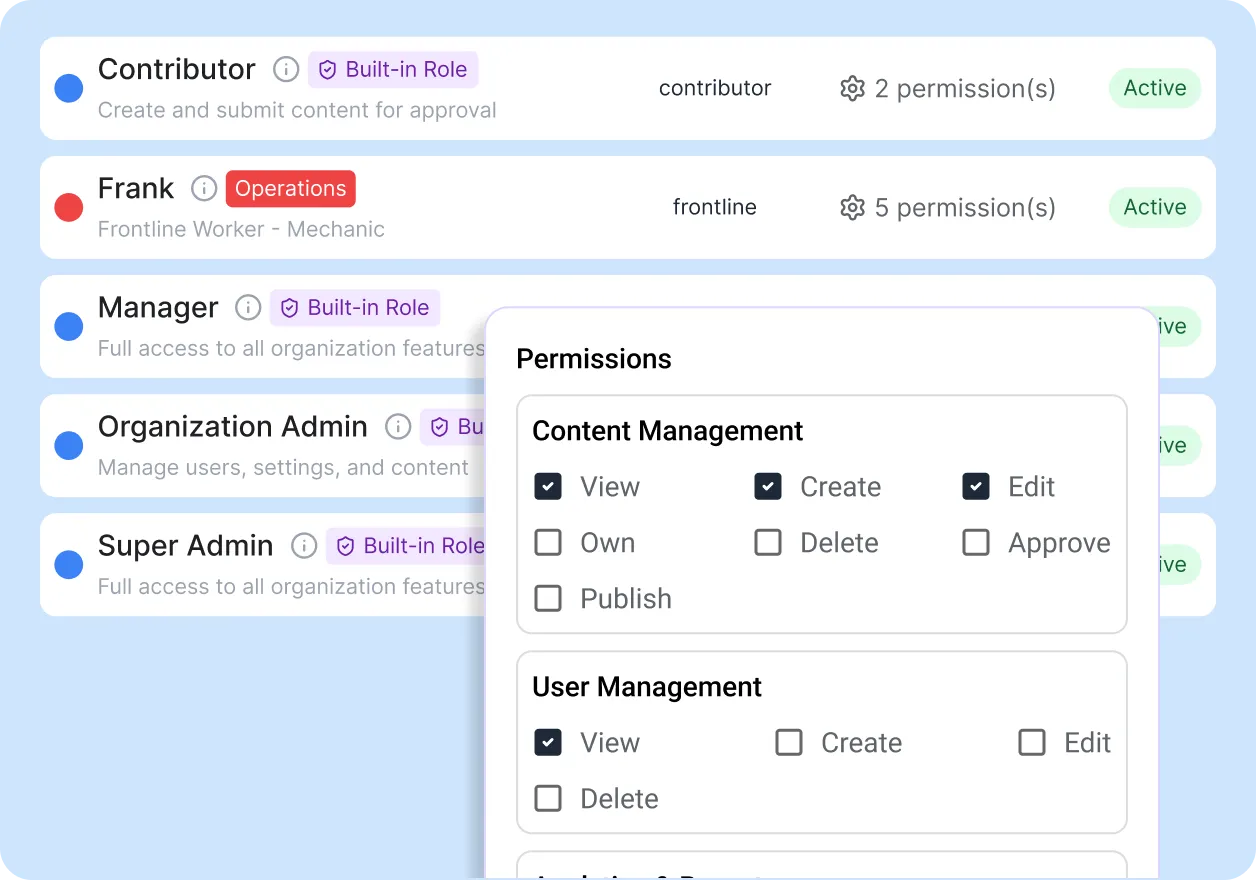
Assign granular permissions by role. Frontline creators never touch social media credentials. The audit trail records which role authorized each action.

Social Media Brand Guidelines Software
Set organization-wide brand guidelines with AI compliance checking. Guideline violations are flagged before submission and recorded in the audit trail, so your social media brand guidelines are enforced at every level.