
Limited availability: Accepting pilot organizations
Social media management software for frontline teams
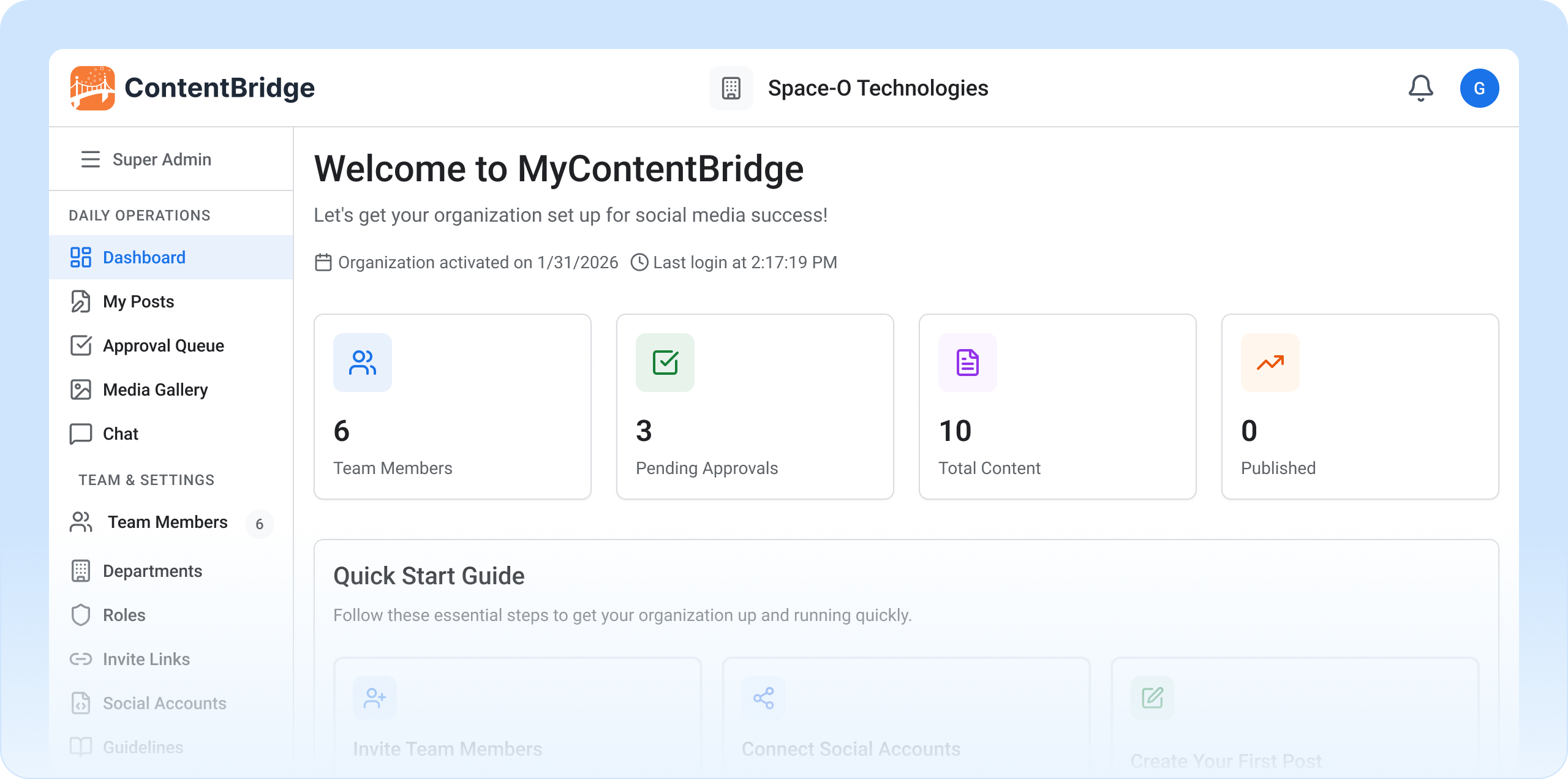
Your frontline workers have the best stories. Unlimited approval workflows give them a safe way to share. ContentBridge is a social media management platform built for large organizations with a distributed workforce. Frontline employees capture photos, draft posts, and submit them from their phones.

No shared passwords
No rogue posts
Full audit trail on every action
No credit card required · Setup in 30 minutes
From $499/mo
For up to 100 users
4 platforms
Facebook, Instagram, X, LinkedIn
iOS + Android
Native mobile apps
EN / FR
Bilingual support
Large organizations have a social media scaling problem
Large organizations with a distributed workforce face three impossible choices when it comes to social media management.

One marketing team can’t scale
A small communications team writing social content for dozens or hundreds of locations can only work from what head office knows. The parking lot reopening, the community barbecue. Local stories go untold, and engagement drops.

Giving everyone access is a brand risk
Your frontline workers see the stories worth sharing, but handing them the password to official social accounts means one off-brand post away from a PR incident. Without brand oversight, shared credentials create social media compliance gaps that are impossible to audit.

Traditional tools weren’t built for this
Social media management tools designed for a 5-person marketing team cap approval workflows at one to three levels, offer no compliance audit trail, and charge per seat. At 500 users, the math stops working.
From phone to published in four steps
Mobile content capture by frontline workers. Your chain approves. The platform publishes. Nobody touches your social accounts directly.
1. Capture

A frontline worker opens the ContentBridge app on their phone, snaps a photo, records a video, or picks from the built-in media library. They write a caption (with optional AI assistance for tone and hashtags) and hit submit.
2. Review

The post is automatically routed to the designated reviewer based on the worker’s department and location. The reviewer checks content for brand alignment, accuracy, and appropriateness.
3. Approve
A senior communications manager gives final approval. They can edit, request changes, or approve to publish. Every action is logged with timestamps.
4. Publish
The approved post is automatically published to the organization’s official social media channels. No one touches the social account passwords directly.
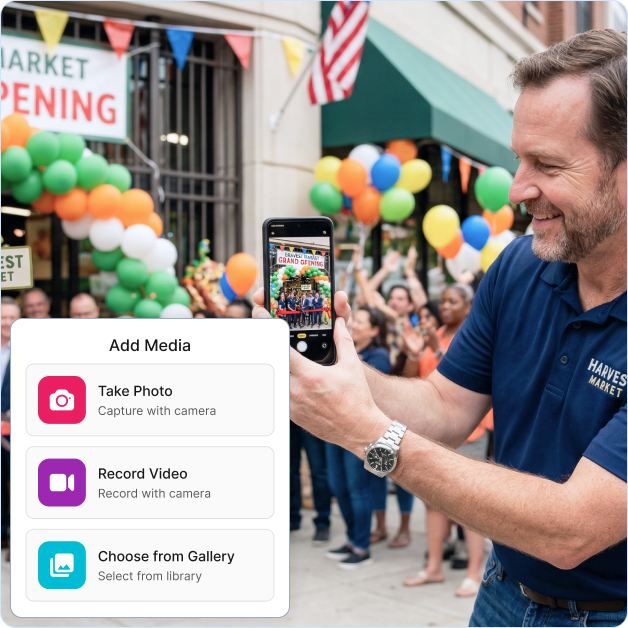
The approval workflow is fully configurable. Add as many levels as your organization needs. There are no artificial limits. See how approval workflows work →
The frontline social media management platform built for hundreds
Four capabilities that separate ContentBridge from traditional social media management tools built for small marketing teams.

Unlimited approval levels
Configure any approval hierarchy your organization requires. Two levels for a small franchise, twelve for a federal agency. No artificial caps, no per-level fees.
vs. 1-3 levels at traditional tools

Predictable pricing at scale
$499/month for up to 100 users. $999/month for up to 500. Traditional per-seat pricing runs into tens of thousands per month at the same scale.
vs. $8,300-$39,900/mo for 100 users elsewhere

Mobile-first content capture
Your people create original content from the field with native iOS and Android apps. This is not a resharing tool where employees repost HQ content.
vs. resharing-only advocacy platforms

Compliance audit trails
Full chain of custody for every post. Built to support social media governance under PIPEDA, PHIPA, and ATIA obligations. Exportable to CSV, PDF, and Excel.
Compliance depends on proper configuration and your organization’s policies
Purpose-built workflows for organizations like yours
Every industry has a different approval workflow, different compliance requirements, and different frontline roles. ContentBridge adapts to all of them.
Law enforcement
The scenario: An officer attends a community basketball event and captures a moment worth sharing on the department’s social channels.
The workflow: Officer creates a post from their phone. Their sergeant reviews for accuracy. The communications director gives final approval. The post goes live on all department channels with a full audit trail.
The result: More authentic community engagement content, zero unauthorized posts, complete accountability for every action.
Healthcare
The scenario: A nurse captures a heartwarming patient-approved moment during a community health fair to share on the hospital’s social media.
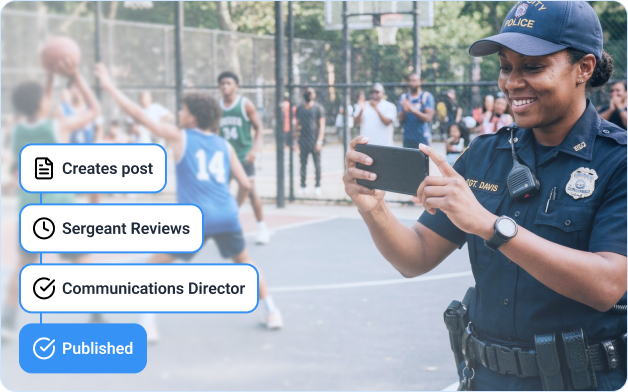
The workflow: Nurse drafts the post on their phone. The department head reviews for patient privacy compliance. The communications team gives final sign-off. The post is published across all hospital channels with a complete audit trail.
The result: Authentic community health stories, zero HIPAA risks, full accountability and compliance documentation for every post.
Franchises
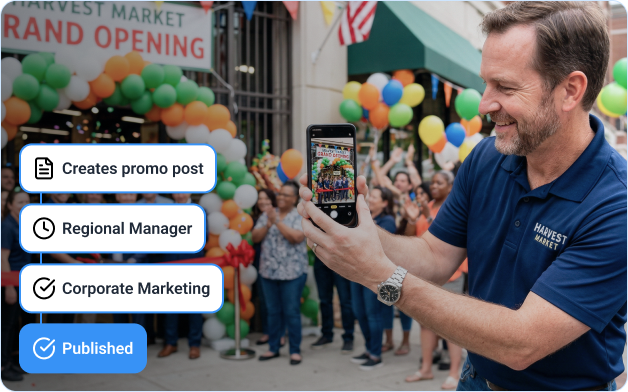
The scenario: A franchise location manager photographs a successful community event and wants to share it on the brand’s local social pages.
The workflow: Manager drafts a post from the field. The regional director checks brand compliance. Corporate marketing gives final approval. The post goes live on the local franchise channels with full brand oversight.
The result: Consistent brand messaging across every location, zero off-brand posts, complete visibility into local social media activity.
Government
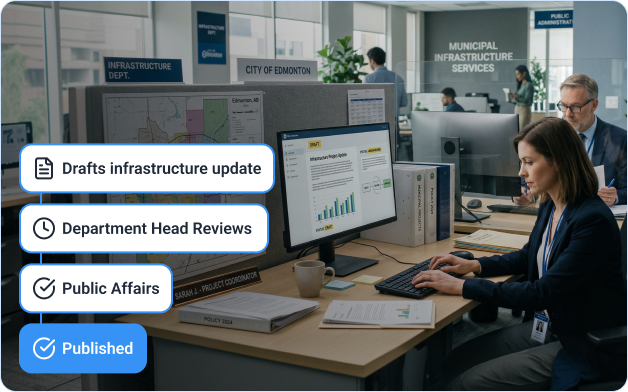
The scenario: A public works employee documents a completed infrastructure project and wants to highlight the achievement on the city’s social channels.
The workflow: Employee drafts the post on their device. Their supervisor reviews for accuracy. The public affairs office gives final clearance. The post is published across all government channels with a full audit trail.
The result: Transparent community updates, zero unauthorized government communications, complete chain of custody for every published post.
NGO / Humanitarian
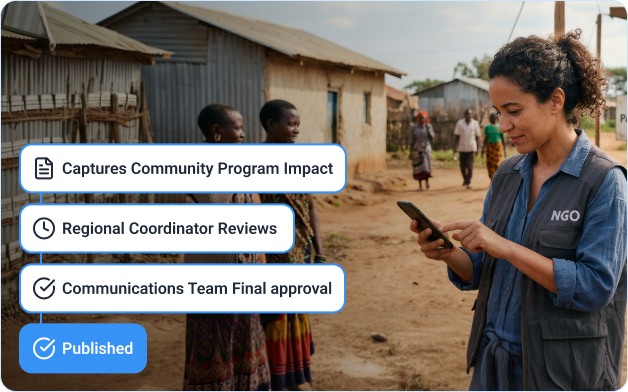
The scenario: A field worker captures an impactful moment during a disaster relief effort and wants to share it with donors and the public through the organization’s channels.
The workflow: Field worker drafts a post from the ground. The program manager verifies accuracy and sensitivity. The communications director gives final approval. The post is published across all organization channels with a full audit trail.
The result: Compelling, timely stories from the field, zero insensitive or unauthorized content, complete accountability for every communication.
Everything you need for content governance at scale
Six core social media management tools designed for hierarchical organizations where hundreds of people contribute content.
Multi-level approval workflows
Unlimited approval levels on every plan. Parallel approvers and conditional routing on Enhanced and Premier. Request-changes feedback loops built in.
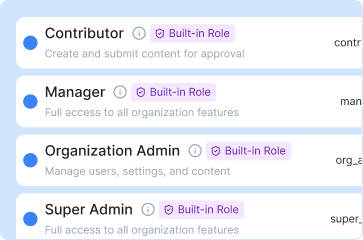
Role-based access control
Five permission levels with department-level isolation. Content creators never touch your social accounts.
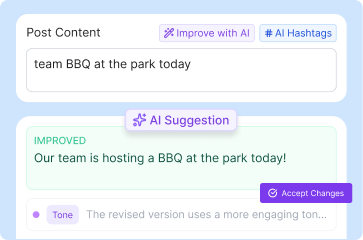
AI-powered content assistant
AI-powered social media content creation tools including optimization, hashtag suggestions, tone analysis, and brand compliance checks. A frontline worker who has never written a social post can produce on-brand content on their first try.
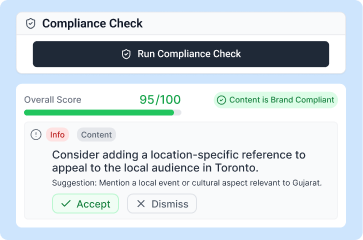
Social media compliance and audit trail
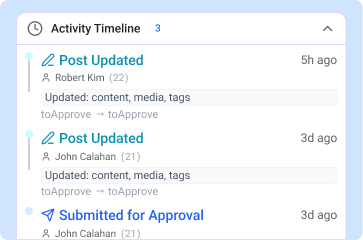
Full chain of custody for every post. Searchable approval history exportable to CSV, PDF, and Excel.
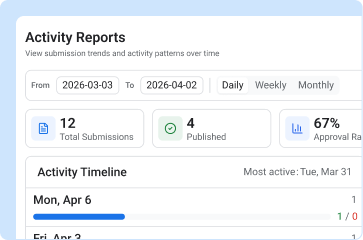
Social media analytics and reporting
50+ social media reporting metrics with coverage maps and contributor leaderboards. Department-level insights on Enhanced and Premier. Export to CSV, PDF, or Excel.
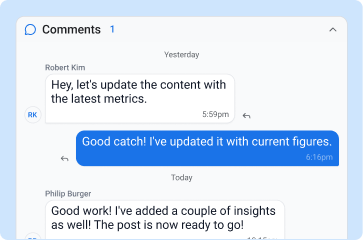
Team collaboration
Built-in social media collaboration with real-time messaging, threaded post discussions, and group chat by department or event. No external tools needed.
Social media management platform for frontline teams, not marketing teams
Traditional social media management platforms were designed for a marketing team of five to twenty people. ContentBridge is an enterprise-scale social media management platform built from the ground up for hierarchical organizations where hundreds or thousands of people contribute content.
| Capability |  | Traditional platforms |
| Designed for | 100-5,000+ frontline workers | 5-20 marketers |
| Approval workflow levels | Unlimited levels | 1-3 levels |
| Content model | Frontline creates original content | Reshare HQ content |
| Compliance audit trail | Full chain of custody | Basic or none |
| Cost for 100 users | $499-$999/mo | $8,300-$39,900/mo |
| Book a demo |
Comparison data based on publicly available pricing and feature documentation.
Common questions about ContentBridge AI content assistance
How do frontline workers create posts without having access to your official social media accounts?
Frontline workers use the ContentBridge mobile app on their personal phone to capture photos, record videos, and write captions. When they hit submit, the post enters your approval workflow. Only after the final approver signs off does the post publish to your official social channels. Frontline workers never see your social account credentials or connect to your accounts directly.
How does the AI assistant help a frontline worker who has never written a social media post before?
A frontline worker can snap a photo, type a rough description of what happened, and submit it to the AI content assistant. The assistant rewrites the caption for clarity, adjusts the tone to match your brand voice, suggests relevant hashtags, and flags anything that may violate your organization’s content guidelines. The worker reviews the suggestion, makes any changes, and submits it for approval.
Can we onboard hundreds of frontline workers at once instead of adding them one by one?
Yes. ContentBridge supports bulk user import via CSV. You upload a spreadsheet with names, emails, departments, and roles, and the platform automatically creates all accounts, sends activation emails, and assigns the correct permissions. This is how organizations with 500+ frontline workers get running without weeks of manual account setup.
What does the audit trail record for each social media post?
ContentBridge records every action from the moment a frontline worker creates a post to final publication: who created it, when and where it was created (with GPS if enabled), every approval or rejection with timestamps and reviewer names, every comment and edit, and which social platforms received the published post. The full record is searchable and exportable to CSV, PDF, and Excel.
Can different departments have their own approval workflows?
Yes. Each department can have its own approval chain with different reviewers, different numbers of levels, and different routing rules. A three-person franchise location might use a two-level workflow (franchisee to corporate), while a hospital network might require four levels (nurse to compliance to communications to CMO). You configure each one independently.
Does ContentBridge support single sign-on (SSO) for large organizations?
SSO and SAML authentication are available on the Premier plan. Your IT team can connect ContentBridge to your existing identity provider so frontline workers log in with the same credentials they use for other organizational systems. This removes the need for separate passwords and simplifies access management across hundreds or thousands of users.