
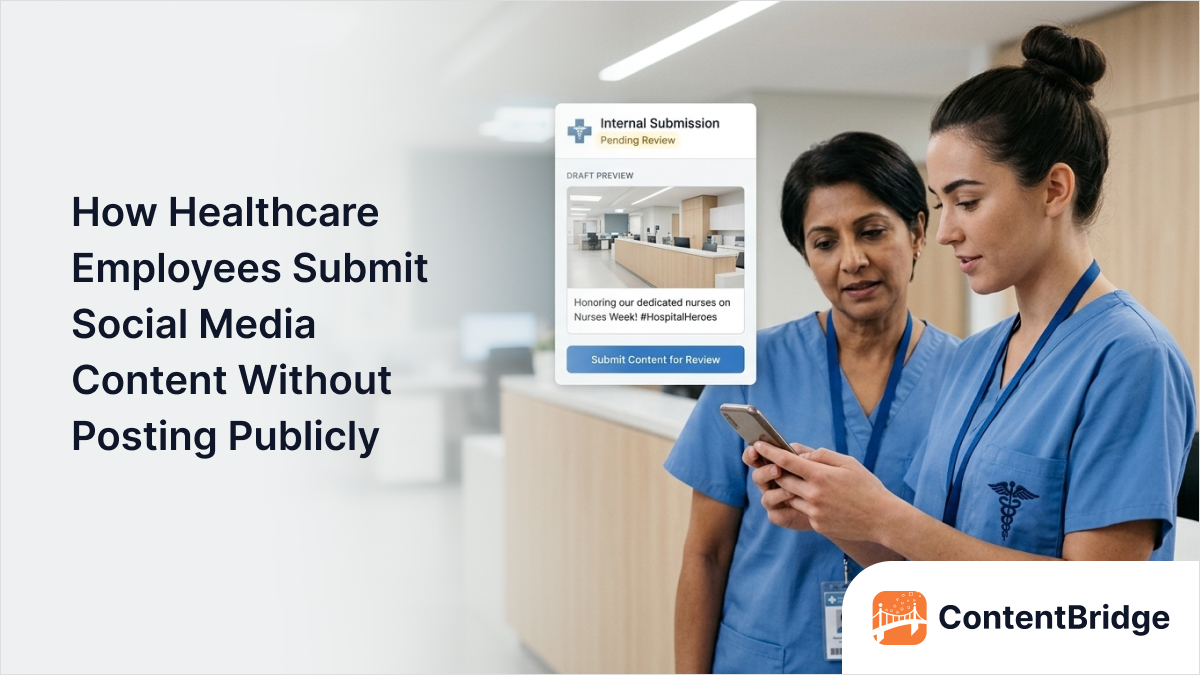

Your nursing staff captures perfect moments from patient care. A physician posts an insightful health tip on the hospital account. A department celebrates a team milestone by sharing photos directly to social media. Each action feels harmless and authentic.
Yet unreviewed employee posts create invisible compliance disasters. A background detail might contain identifiable patient information. Video audio could include private medical conversations. Casual health claims might violate Health Canada regulations. Once published, these posts live forever in digital archives and screenshots.
Healthcare organizations face a fundamental challenge. Frontline employees generate authentic, powerful content daily. Yet every post needs a compliance review before reaching the public.
The solution is a gated publishing model where employees submit content without publishing access. Understanding how healthcare teams review frontline content before publishing is essential to implementing this model effectively.
This blog explains how healthcare organizations implement secure submission workflows. Learn why direct employee posting endangers healthcare organizations beyond what you might realize. Understand how gated publishing separates content creation from publication. Discover proven systems that maximize staff participation while maintaining compliance.
Why Healthcare Employees Must Never Post Directly
Healthcare social media differs fundamentally from other industries. Patient privacy, regulatory compliance, and clinical accuracy create stakes that demand systematic review. Understanding these risks motivates investment in proper submission systems.
1. Personal Health Information Creates Catastrophic Liability
Every photo and video submitted by healthcare staff carries PHI risk. Experienced nurses might believe their photos contain no patient information. Background elements can reveal facility specifics or ambient medical details. Video audio might capture patient conversations before anyone notices.
According to the Office of the Privacy Commissioner of Canada’s 2024–25 annual report, 43% of Canadians report having been affected by a privacy breach. Healthcare organizations are especially vulnerable given the sensitivity of the information they handle.
Under PIPEDA and provincial health privacy legislation such as Ontario’s PHIPA, organizations face significant penalties for privacy breaches — up to $100,000 per offence under PIPEDA, and up to $500,000 per organization under Ontario’s PHIPA administrative monetary penalties.
A single unreviewed post containing inadvertent personal health information can trigger these penalties.
Only trained compliance reviewers checking each submission can catch these subtle risks. Protecting patient data on hospital social media requires systemic safeguards, not individual judgement — direct posting makes privacy compliance mathematically impossible.
2. Clinical Accuracy Errors Spread Health Misinformation
Staff-created health education content requires medical verification. A nurse sharing general wellness tips might oversimplify treatments. Physicians offering health advice must follow Health Canada and Competition Bureau of Canada regulations. Incorrect clinical information, once published, damages organizational reputation irreparably.
Healthcare organizations bear legal liability for the misinformation their employees publish. Patients making health decisions based on unverified posts create liability exposure. The gated publishing model ensures clinicians review health education content before publication.
3. Regulatory Violations Create Organizational Penalties
Healthcare social media falls under Health Canada, the Competition Act, and provincial regulations. Medical claims, endorsements, and comparative statements require documented compliance review. Advertising claims must comply with healthcare marketing rules. Direct posting bypasses these mandatory review requirements entirely.
Healthcare organizations publishing non-compliant content face regulatory investigation. The compliance risks of frontline social media are among the most complex digital health challenges for healthcare teams, especially when managing employee activity at scale.
Marketing claims without proper substantiation violate Competition Act requirements. Medical device or pharmaceutical claims require specific disclaimers. Provincial regulatory colleges can discipline individual practitioners for improper endorsements, making oversight essential. Gated publishing helps prevent these regulatory risks by design.
4. Brand Inconsistency Damages Institutional Reputation
Unreviewed employee posts contradict organizational messaging and content strategy. Staff posts misalign with corporate brand voice and visual standards. Different departments post conflicting health information to the same audience. Inconsistent messaging confuses patients about organizational positioning.
Patients comparing your fragmented social presence to well-organized institutions notice quality gaps. Trust erodes when healthcare organizations appear disorganized. Professional brand consistency requires centralized oversight of all public content.
Implement Gated Publishing to Protect Your Organization
ContentBridge enables safe content submission while empowering frontline teams to contribute meaningful content daily.
How Gated Publishing Works in Healthcare
Gated publishing separates content creation permissions from publishing permissions. This model gives frontline staff submission access while preventing any direct posting. Different roles maintain distinct responsibilities throughout the workflow.
The Three-Role Permission Model
- Content Contributor roles apply to all frontline healthcare staff. These employees submit photos, videos, and story ideas without publishing access. Contributors cannot access social media account credentials. Submission portals guide them through required information fields effortlessly.
- Content Reviewer roles apply to marketing, compliance, and clinical teams. These professionals examine submissions against PHI guidelines and clinical accuracy standards. Reviewers assess brand alignment and regulatory compliance systematically. They approve submissions, request revisions, or reject content with specific feedback.
- Content Publisher roles apply to designated marketing leads only. These individuals schedule and publish approved content to social platforms. Publishers access social media credentials and control posting timing. No other staff member can publish content regardless of seniority.
This three-role separation makes unapproved posting mathematically impossible. Contributors cannot publish. Reviewers cannot publish. Only publishers can post, and they only post reviewed content.
Building Adoption-Friendly Submission Workflows
Successful healthcare submission systems balance compliance with usability. Frontline staff have minutes available, not hours. The submission process must take 60 to 90 seconds maximum. Longer processes drive staff back to informal methods like texting photos.
Mobile-first design is non-negotiable for healthcare frontline workers. Understanding how nurses capture social media content from the field helps organizations design submission portals that function perfectly on mobile devices every time.
Create Mobile-First Content Submission for Healthcare Teams
ContentBridge submits content directly from smartphone cameras with single sign-on authentication built in.
Essential Design Elements for Healthcare Content Submission Portals
Purpose-built submission portals include specific fields that healthcare organizations require for compliance, routing, and tracking. Generic form builders often miss these healthcare-specific requirements entirely.
1. Required Information Fields
Content files are the photos, videos, or documents staff upload directly through the portal. File size limits should accommodate modern smartphone cameras, and batch upload options allow submitting multiple items at once.
2. Content Description and Categorization
Staff provide brief descriptions and suggested captions to help reviewers understand context and intent. Selecting categories like staff spotlight, health education, or patient story automatically routes submissions to the appropriate review track.
3. Department, Location, and Patient Involvement
Department and facility-level fields identify the organizational source for tracking and reviewer routing. A patient involvement flag triggers mandatory documented consent requirements before compliance teams can approve any patient-identifiable content, as required under PIPEDA and applicable provincial health privacy legislation.
Allowing employees to add context before submission strengthens reviewer decision-making and reduces back-and-forth.
4. Submitter Contact and Attribution
Email or phone fields enable reviewers to ask clarification questions and close feedback loops that improve future submission quality. Optional public attribution lets contributing staff receive recognition for their efforts.
5. Design Principles That Drive Adoption
Visual confirmation and real-time status tracking give staff immediate feedback on where their content stands in the review process. Constructive rejection guidance and offline drafting capability remove common barriers that discourage continued participation.
When these design elements work together, healthcare organizations create a submission experience that feels simple for frontline staff and stays thorough for compliance teams.
Design Healthcare Content Submission Systems That Stick
ContentBridge includes all essential healthcare fields with a mobile-first design built for frontline adoption.
Comparing Submission Methods for Healthcare Organizations
Different organizations use different submission approaches based on size and complexity. Understanding tradeoffs helps you select the right method for your needs.
1. Dedicated Healthcare Submission Platforms
Purpose-built platforms like ContentBridge, a frontline social media management platform, prioritize healthcare-specific workflows. Submission portals include compliance fields designed for healthcare teams. Mobile-first design matches how frontline staff actually work. Role-based permissions enforce the gated publishing model automatically.
These platforms excel at scale and compliance. Organizations can onboard hundreds of submitters. Audit trails document every submission and review decision. Integration with social platforms automates scheduling. Advanced analytics track submission volume and staff participation.
Dedicated platforms cost more than generic solutions. Implementation requires setup time and staff training. ROI becomes clear after three to six months of operation.
2. Traditional Social Media Management Platforms
Traditional social media management platforms include basic submission workflows. Organizations already using them can activate submission features without purchasing additional software.
These platforms work well for organizations with dedicated marketing teams. Their tools assume marketing expertise. Mobile experience feels secondary to desktop features. Healthcare frontline staff find them less intuitive than dedicated submission portals. This is one reason traditional tools fail frontline teams at scale.
When evaluating any third-party platform for healthcare use, organizations should confirm that appropriate data sharing agreements and privacy protections are in place. Not all platforms are designed to handle personal health information.
3. Free Form Builders and Generic Solutions
Organizations beginning pilot programs often use Microsoft Forms or Google Forms. Free tools eliminate cost barriers. Forms are simple to set up with minimal technical expertise. Small teams or departments can launch pilots immediately.
Form builders work adequately for pilot programs under 50 submissions daily. Form responses lack the structure that healthcare requires. Manual routing of submissions creates bottlenecks. Scaling beyond pilots becomes chaotic with generic form builders.
Shared drives and email represent the least structured approach. Submissions get lost easily. No audit trail documents compliance decisions. Healthcare organizations should avoid these entirely.
The right submission method depends on where your organization stands today and where it plans to go. Starting with a simple pilot is practical, but building toward a compliant and scalable system ensures your content workflow grows alongside your team.
Move Beyond Forms to Healthcare-Grade Submission Systems
ContentBridge eliminates form chaos with structured workflows, automatic routing, and full compliance tracking.
How to Maximize Staff Participation in Content Submission
Implementing a submission system is only the first step. Healthcare organizations must actively build participation among frontline staff, because adoption is what determines actual impact. Many organizations underestimate this challenge — understanding why frontline teams avoid social media programmes helps you design around the real barriers from the start.
Step 1: Make Submission Faster Than Current Alternatives
Staff currently submit content through text messages, email, or informal conversations. Your submission portal must be faster than all of these methods. If the process takes longer than two minutes, most staff will revert to texting their manager instead of using the system.
- Remove every unnecessary field and keep required inputs limited to content files and a brief description.
- Auto-populate category and department information wherever possible.
- Hide optional fields behind expandable sections to avoid slowing down quick submissions.
- Target a submission time of 60 to 90 seconds from start to finish.
Step 2: Embed Submission Into Daily Workflows
Staff are unlikely to seek out a submission portal on their own. Integrating it into tools they already use increases visibility dramatically. Mobile push notifications timed around shift changes are especially effective.
- Add submission links to hospital intranet homepages and daily email communications.
- Send timely prompts tied to upcoming health awareness days or internal events.
- Use shift change windows for push notifications when staff are most receptive.
- Place QR codes in break rooms or common areas linking directly to the submission portal.
Step 3: Celebrate Contributors and Published Content
When submitted content gets published, share it back to the person who created it along with engagement metrics like views, likes, or shares. Visible recognition turns individual effort into motivation for the entire team.
- Highlight top contributors in team meetings or internal communications.
- Share monthly statistics showing submission volume by department.
- Create team milestones that acknowledge cumulative participation.
- Celebrate high-activity periods to build collective momentum around the programme.
Step 4: Train Department Champions
Identify one to two content champions per major department and provide them with additional training and support. Staff are far more likely to adopt a new process when someone they work alongside is already using it consistently.
- Give champions early access to new features and submission prompts.
- Encourage nurse managers and physicians to submit content visibly.
- Use peer influence to drive adoption rather than relying on policy mandates.
- Recognize champions publicly to reinforce their role in the programme.
Step 5: Simplify the Feedback Loop for Rejected Content
Rejected submissions without clear feedback discourage staff from trying again. Provide specific and constructive guidance that explains what needs to change and how the submitter can resubmit successfully. A supportive tone turns initial rejections into learning moments.
- Explain the specific reason for rejection in plain language.
- Include actionable suggestions for how to fix and resubmit the content.
- Acknowledge the effort behind every submission, even when declining it.
- Track resubmission rates to measure whether feedback is effective.
Step 6: Track Participation Metrics and Adjust Your Approach
Monitor submission volume by department, location, and individual to identify where participation is strong and where it needs support. Low engagement in a specific area may indicate a training gap or workflow issue rather than a lack of interest.
- Review participation data on a monthly or quarterly basis.
- Adjust notification timing and content prompts based on engagement patterns.
- Provide additional champion support in departments where numbers are lagging.
- Use data to evolve your strategy so the participation programme does not go stale.
Enforce Compliance With Automated Access Controls
ContentBridge tracks every user action with audit trails that satisfy healthcare compliance requirements.
How to Implement Your Healthcare Content Submission System
Building a submission system requires planning across technology, policy, and training. For organizations operating across multiple facilities, reviewing hospital social media approval workflows for multi-location environments provides a useful framework before you begin.
Step 1: Assess Your Current State
Inventory all locations and departments that create social content. Document which staff members currently post to social accounts. Identify informal submission methods currently in use.
Survey staff about barriers to using a submission system. Identify pain points in current processes. Gather feedback from frontline staff before building solutions.
Audit your social media platforms for unauthorized posts. Review content quality and compliance across all accounts. Document the costs of current ad hoc approaches.
Step 2: Define Your Gated Publishing Model
Clarify which staff will submit content. Define who reviews submissions and against what criteria. Document who has publishing access and why. Create detailed role definitions with specific responsibilities.
Design content categories relevant to your organization. Decide which categories require clinical review. Determine review timing requirements for different categories. Document escalation procedures for complex submissions.
Step 3: Select and Configure Your Platform
Compare dedicated healthcare platforms against traditional social media management platform features. Evaluate cost against organizational size and needs. Confirm that appropriate privacy protections and data sharing agreements are in place, particularly if the platform will handle personal health information.
Configure submission forms with required fields. Set up role-based permissions and approval workflows. Integrate the submission system with social media platforms. Train administrators on system configuration.
Step 4: Launch With Pilot Programme
Start with one department or location rather than organization-wide. Use pilot feedback to refine processes before full rollout. Measure pilot adoption rates and identify barriers.
Provide intensive training and support during the pilot period. Address technical issues immediately. Gather feedback from pilot users systematically. Celebrate pilot success before broader launch.
Step 5: Roll Out Organization-Wide
Expand the system to additional departments based on pilot success. Provide training tailored to each department’s needs. Assign department champions to support adoption. Monitor adoption metrics closely.
Launch internal campaigns promoting the submission system. Share success stories from pilot groups. Celebrate early adopters and high-volume submitters. Build momentum for sustained participation.
Why Healthcare Organizations Choose ContentBridge
Content submission requires purpose-built solutions designed for healthcare teams. ContentBridge is the frontline-first platform built specifically for healthcare social media management workflows.
ContentBridge solves the submission challenge healthcare organizations face daily. The platform provides mobile-first submission portals that staff actually use. Frontline teams submit content through simple interfaces requiring under 2 minutes. No technical expertise or marketing knowledge required.
Gated publishing becomes effortless with role-based permissions. Submitters upload content and never access publishing tools. Reviewers examine submissions against compliance checklists systematically. Publishers schedule approved content to social platforms automatically.
Compliance tracking happens automatically with comprehensive audit trails. Every submission action documents who did what and when. Healthcare organizations demonstrate compliance with PIPEDA and provincial health privacy legislation through detailed records.
Mobile-first design means healthcare staff actually adopt the system. Single sign-on eliminates login friction. Camera integration captures content directly in the submission flow. Offline drafting works in areas with poor connectivity. Request a demo today to see how ContentBridge transforms your healthcare social media operations.
Frequently Asked Questions
How do healthcare organizations enforce the prohibition on direct posting?
Only designated publishers receive social media credentials. Two-factor authentication and 90-day credential rotation protect all accounts. Daily monitoring catches unauthorized posts. Written policy, training, and documented incident response procedures reinforce expectations.
How long does the review and approval process typically take?
Review timelines vary by organization and content type. Routine posts often clear within a few hours. Content involving patient information or clinical claims may require additional compliance review. Setting internal service-level targets helps teams stay accountable without rushing oversight.
What happens when healthcare content needs to go out urgently during a crisis?
Organizations should define an expedited approval track for time-sensitive communications. This typically designates a smaller group of pre-authorized reviewers who can approve crisis content within minutes. The standard workflow remains in place for all non-urgent submissions.
Can healthcare staff submit content from personal devices?
Yes, most submission platforms support personal smartphones through mobile apps or browser-based portals. Staff never access social media credentials from their devices — they only submit content. Organizations should ensure their acceptable use policies address personal device submissions and data handling expectations.
How does a gated publishing workflow handle staff turnover?
When a contributor leaves, their pending submissions are reassigned to a department lead or flagged for review. Publisher credentials should be rotated immediately upon departure. Role-based access means deactivating one account removes all submission and approval permissions instantly.