
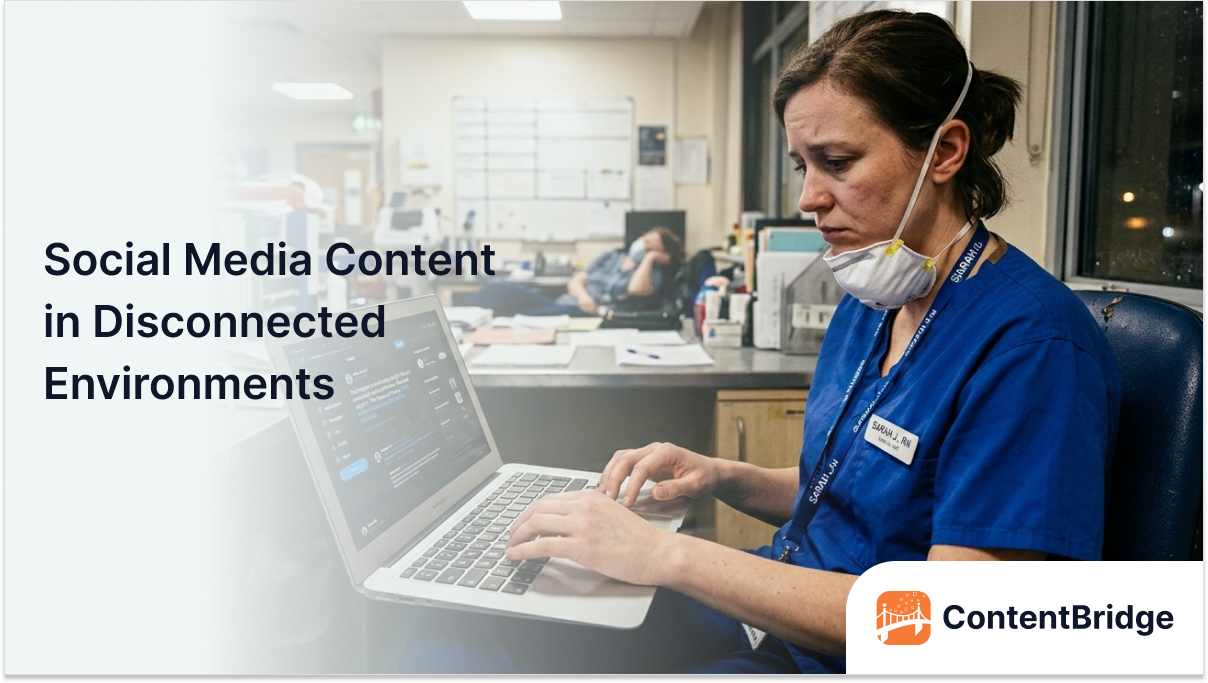

Your best content moment just happened. A customer shared an incredible testimonial on the warehouse floor. A team member achieved something worth celebrating at the remote job site. But your phone shows no signal, and the opportunity disappears before you can capture it.
This frustration affects millions of frontline workers daily. According to BCG research, deskless workers make up 70% to 80% of the global workforce. Yet these essential employees frequently lack access to digital tools designed for their environments. The result is missed opportunities to build brand authenticity.
Connectivity challenges hit hardest where authentic content lives. Factory floors, construction sites, healthcare facilities, and rural retail locations create dead zones. Traditional social media tools assume constant internet access. They fail when workers need them most.
This blog reveals why connectivity gaps create content problems for frontline teams. You will discover practical solutions to capture social media content regardless of signal strength. Most importantly, you will learn how to turn connectivity limitations into workflow advantages.
Why Frontline Workers Face Connectivity Challenges
Frontline environments differ fundamentally from office settings. Understanding these differences explains why standard tools often fail and why specialized solutions are essential for successful content capture.
1. Work Locations Create Natural Dead Zones
Warehouses contain metal shelving that blocks cellular signals throughout the facility. Concrete walls in healthcare buildings create signal shadows in critical areas. Underground retail spaces and basement storage rooms receive little to no coverage. These physical barriers make connectivity unreliable precisely where frontline workers operate.
2. Mobile Network Coverage Remains Inconsistent
Rural retail locations sit outside strong coverage areas in many regions. Remote construction sites lack tower infrastructure entirely. Even urban locations experience signal congestion during peak hours. Workers cannot control network availability at their job sites.
3. Facility Wi-Fi Serves Business Systems First
Corporate Wi-Fi networks prioritize point-of-sale systems and inventory management. Personal devices often get blocked from business networks for security reasons. Guest networks throttle bandwidth severely during busy periods. Workers find themselves connected but unable to upload content effectively.
4. Workday Demands Limit Connectivity Windows
Busy retail shifts leave no time to find better signal spots for uploading. Healthcare workers cannot leave patient areas to seek stronger connections. Manufacturing floor workers must stay at their stations during production. The moments worth capturing happen precisely when workers cannot step away.
These challenges combine to create persistent content gaps. Workers want to share authentic moments but face barriers beyond their control. These connectivity issues are among the many reasons why frontline teams not participate in social media programs even when they want to. Organizations that solve these barriers unlock content opportunities their competitors miss entirely.
The Real Cost of Missed Content Opportunities
Connectivity barriers do more than frustrate workers. They create tangible business losses that compound over time. Understanding these costs reveals why solving this problem delivers real value.
1. Authentic Moments Disappear Forever
The most compelling social media content captures genuine reactions and real situations. These moments last for a few seconds before changing completely. A customer smile, a team celebration, or a behind-the-scenes glimpse cannot be recreated later.Once the moment passes, the content opportunity vanishes permanently. This is exactly why enterprises miss real-time frontline moments on social media.
2. Frontline Engagement Drops Significantly
Workers who repeatedly fail to capture content stop trying altogether. The frustration of lost uploads kills motivation to participate. According to Totaltele, mobile technology is failing over two-thirds of frontline workers. This technology gap contributes to disengagement and higher turnover rates.
3. Brand Authenticity Suffers Without Real Content
Staged marketing photos lack the genuine appeal of frontline content. Audiences recognize and respond to authentic workplace moments. Brands competing for attention need real stories from real people. Without frontline content, marketing teams rely on generic alternatives. This disconnect is a core reason why your best frontline content never reaches marketing.
4. Competitors Capture What You Miss
Organizations solving connectivity challenges gain content advantages every day. Their social feeds feature authentic moments, while yours show polished but less engaging content. This authenticity gap widens as competitors consistently capture more genuine stories. Market perception is shifting toward brands that show real workplace culture.
5. Data and Effort Get Wasted Completely
Workers spend time attempting uploads that fail mid-process. Partially uploaded content creates confusion and duplicate attempts. Battery life drains from repeated connection attempts. These wasted efforts accumulate into significant productivity losses.
These costs affect both marketing performance and employee satisfaction. Organizations cannot achieve an authentic social media presence while their frontline teams lack proper tools. This is one of the key reasons why tools like Hootsuite break down for frontline organizations. Solving connectivity challenges delivers compounding returns across content quality and employee engagement.
Turn Field Moments into Social Media Content
ContentBridge helps frontline teams document real-time impact and route content through structured approval workflows.
Best Practices for Low-Connectivity Content Capture
Practical strategies help frontline teams capture content regardless of signal strength. These approaches work with existing technology and workflows. Implementing them immediately improves content capture success.
1. Use Offline-First Mobile Applications
Choose apps designed to work without constant connectivity from the start. Offline-first applications store content locally and sync when network connectivity returns. They handle interruptions gracefully without losing captured photos or videos. Standard social media apps lack these offline capabilities entirely.
Test offline functionality before relying on any application in the field. Verify that the app queues content reliably during connectivity gaps. Confirm that uploads complete automatically when connectivity returns. Many apps claim to support offline use but fail under real-world conditions.
2. Capture First and Upload Later
Train teams to prioritize capturing the moment over immediate posting. Take photos and videos whenever opportunities arise, regardless of signal. Save content to device storage as a backup during capture. Uploading can wait, while moments cannot.
Create simple workflows that separate capture from upload activities. Designate specific times for uploading queued content when connectivity improves. This separation reduces frustration and increases total content captured. Workers stop worrying about signals and focus on moments.
3. Optimize Content for Low Bandwidth Conditions
Reduce file sizes before attempting uploads over weak connections. Compress videos to smaller formats that transfer faster and more reliably. Choose photo resolutions that balance quality with upload feasibility. Smaller files complete uploads successfully, while larger files fail repeatedly.
Test different quality settings to find the right balance for your environment. Higher compression means faster uploads but potentially lower content quality. Find settings that maintain acceptable quality while enabling reliable transfers. Document these settings, so all team members use consistent approaches.
4. Identify Reliable Connectivity Spots in Each Location
Map areas within each facility where signals work more consistently. Break rooms often have better connectivity than production floors. Entrance areas near windows may receive stronger cellular signals. Knowing these spots helps workers plan their upload activities strategically.
Share this location knowledge systematically across the team. Create simple maps or guides that show connectivity hotspots at each site. Update these guides as network conditions change over time. Collective knowledge improves everyone’s upload success rates.
5. Establish Content Handoff Protocols
Create processes that make it easier for workers to share content with colleagues. A warehouse worker captures content and sends it to an office colleague for posting. This division of labor plays to each person’s environmental advantages. Handoffs ensure content reaches platforms even when the original captors cannot upload it.
Define clear handoff workflows that preserve content context and timing. Include caption suggestions and posting notes with transferred content. Maintain attribution so original contributors receive appropriate recognition. Effective handoffs multiply your content capture capabilities. When done well, this approach is how organizations turn local frontline stories into scalable brand content.
Essential Features for Offline Content Capture Tools
Selecting the right tools determines success in low-connectivity environments. These features separate effective solutions from inadequate ones. Prioritize these capabilities when evaluating content capture platforms.
1. True Offline Functionality Without Workarounds
The tool must work completely offline without requiring initial connectivity. Users should capture, edit, and queue content entirely without signal. Partial offline modes that require periodic connections fail frontline workers. Demand genuine offline capability before deployment.
2. Automatic Background Synchronization
Content should upload automatically when devices detect viable connections. Workers should not need to manually trigger uploads after capturing content. Background sync eliminates the need to remember pending content items. The system handles connectivity changes without user intervention.
3. Queue Management and Visibility
Users need clear visibility into what content awaits upload in the queue. The interface should show sync status for each pending content item. Failed uploads should surface clearly with options to retry or modify. Queue management prevents content from getting lost or forgotten.
4. Conflict Resolution for Duplicate Attempts
The system must handle situations where partial uploads occur before disconnection. Duplicate content creates confusion and wasted effort for marketing teams. Smart conflict resolution prevents the same content from posting multiple times. This capability becomes critical in environments with fluctuating connectivity.
5. Mobile-First Interface Design
Frontline workers capture content on smartphones rather than desktop computers. The entire experience must work smoothly on mobile devices first. Small-screen interfaces should remain intuitive in fast-paced capture situations. Desktop access matters less than excellent mobile performance.
6. Low Storage and Battery Impact
Offline content storage should not rapidly overwhelm device storage capacity. The app must manage cached content efficiently to prevent space issues. Battery consumption during offline operation should remain reasonable throughout shifts. Heavy resource usage makes tools impractical for frontline deployment.
These features combine to create tools that actually work in frontline environments. Missing any single capability can undermine the entire solution. Evaluate tools against all these criteria before committing to implementation.
Capture Content Now, Publish with Control Later
ContentBridge supports flexible content submission from the field while ensuring centralized review and compliance before publishing.
How to Build an Offline Content Workflow
Creating effective workflows requires planning that accounts for connectivity realities. These steps help organizations establish sustainable offline content processes.
Step 1: Audit Your Connectivity Landscape
Document connectivity conditions across all frontline locations systematically. Identify areas where signals work reliably versus dead zones in each facility. Note times when network congestion affects upload performance at each site. This audit reveals the scope of challenges your workflow must address.
Step 2: Select Appropriate Capture Tools
Evaluate tools against the feature requirements described in the previous section. Test shortlisted options in actual frontline environments before deciding. Involve frontline workers in evaluation to ensure usability meets their needs. Choose solutions that workers will actually use consistently, such as ContentBridge, which is purpose-built for frontline content workflows in multi-location brands.
Step 3: Design Simple Capture Protocols
Create straightforward guidelines that workers can follow during busy shifts. Define what types of content to capture and basic quality standards. Keep instructions brief enough to remember without reference documents. Complexity kills adoption in fast-paced frontline environments.
Step 4: Establish Upload Routines
Designate specific times or locations for content upload activities. End-of-shift routines ensure captured content gets queued for sync. Break periods near connectivity spots offer natural opportunities for uploading. Regular routines prevent content from accumulating indefinitely on devices.
Step 5: Train Teams on Tools and Workflows
Provide hands-on training that simulates real low-connectivity conditions. Practice capturing content and managing upload queues together. Address common problems and troubleshooting steps during training sessions. Ongoing support ensures workers maintain confidence in the system.
Step 6: Monitor and Improve Continuously
Track content capture volumes and upload success rates over time. Identify locations or individuals who regularly struggle with the workflow. Gather feedback from frontline teams about pain points and suggestions. Use insights to continuously refine tools and processes.
These steps create workflows designed for connectivity realities rather than ideal conditions. Organizations that plan for offline scenarios capture more content than those assuming constant connectivity.
Capture Field Content Without Connectivity Barriers with ContentBridge
Capturing social media content in low-connectivity environments requires purpose-built tools. ContentBridge is a frontline-focused social media management platform with true offline content capture functionality. Workers capture photos, videos, and content ideas without requiring connectivity. Everything queues locally and syncs automatically when devices reconnect, so no content is lost due to connectivity gaps.
True offline capture eliminates signal dependency, allowing frontline workers to capture content regardless of cellular or Wi-Fi availability. When devices detect usable connections, queued content uploads automatically without workers needing to trigger syncs or monitor progress manually. Clear interfaces show what content is awaiting upload and provide confirmation when submissions successfully reach the platform, building confidence that captured moments will arrive at their destination.
The entire experience is mobile-first and works smoothly on smartphones used by frontline teams. Fast capture workflows minimize time spent on content tasks during busy shifts, and the interface remains intuitive even for workers with limited technical experience.
ContentBridge transforms connectivity challenges from content blockers into manageable workflow considerations. Frontline teams capture authentic moments whenever they happen. Marketing receives a steady stream of genuine content regardless of its origin. Request a demo today to see how ContentBridge enables reliable content capture across all your frontline locations.
Frequently Asked Questions
Why do frontline workers struggle with social media content capture?
Frontline workers operate in environments not designed for consistent connectivity. Warehouses, factories, healthcare facilities, and remote locations create signal dead zones. Standard social media apps assume constant internet access and fail when connections drop. Workers miss content opportunities because their tools lack offline capture support.
What happens to content captured offline when connectivity returns?
Properly designed offline tools queue content locally on the device until a connection becomes available. When the device detects viable connectivity, queued content uploads automatically in the background. Workers do not need to initiate uploads or monitor sync progress manually. The content reaches the platform as if it had been captured online originally.
How can I tell if a content capture app truly supports offline use?
Test the app in airplane mode to verify genuine offline functionality. Attempt to capture photos, videos, and text content without any connectivity. Check whether the app stores content locally and clearly shows the queue status. Many apps claim to support offline use but fail when disconnected from the network.
What file sizes work best for low connectivity uploads?
Smaller files upload more reliably over weak or intermittent connections. Compress videos to reduce file sizes before attempting upload over marginal signals. Photo resolutions between one and two megapixels balance quality with upload feasibility. Test different settings in your actual environment to find optimal configurations.
How do I train frontline teams on offline content workflows?
Provide hands-on training that simulates the low-connectivity conditions workers face. Practice the complete workflow from capture through queue management to successful sync. Keep instructions simple enough to remember during busy shifts without reference materials. Ongoing support and refresher training maintain adoption over time.