

For Nonprofits
Social Media Management for Nonprofits
Your organization has hundreds of field workers, program officers, and volunteers across multiple chapters, but a single communications person manages every social media post. Your frontline workers witness donor-worthy moments every day with no safe way to share them on official accounts. One unreviewed post that exposes beneficiary information or violates CRA charity rules puts vulnerable populations and your charitable status at risk. ContentBridge turns them into content creators with approval workflows that protect beneficiary dignity before anything goes live. No shared passwords. No rogue posts. Full audit trail on every action.
Every chapter
one dashboard
Every post
reviewed before publish
20% off
all plans for nonprofits
Why Nonprofit Social Media Stalls at Scale
Nonprofits with multiple chapters and hundreds of frontline workers hit the same three walls when they try to scale social media. If any of these sound familiar, the problem is structural, not creative.

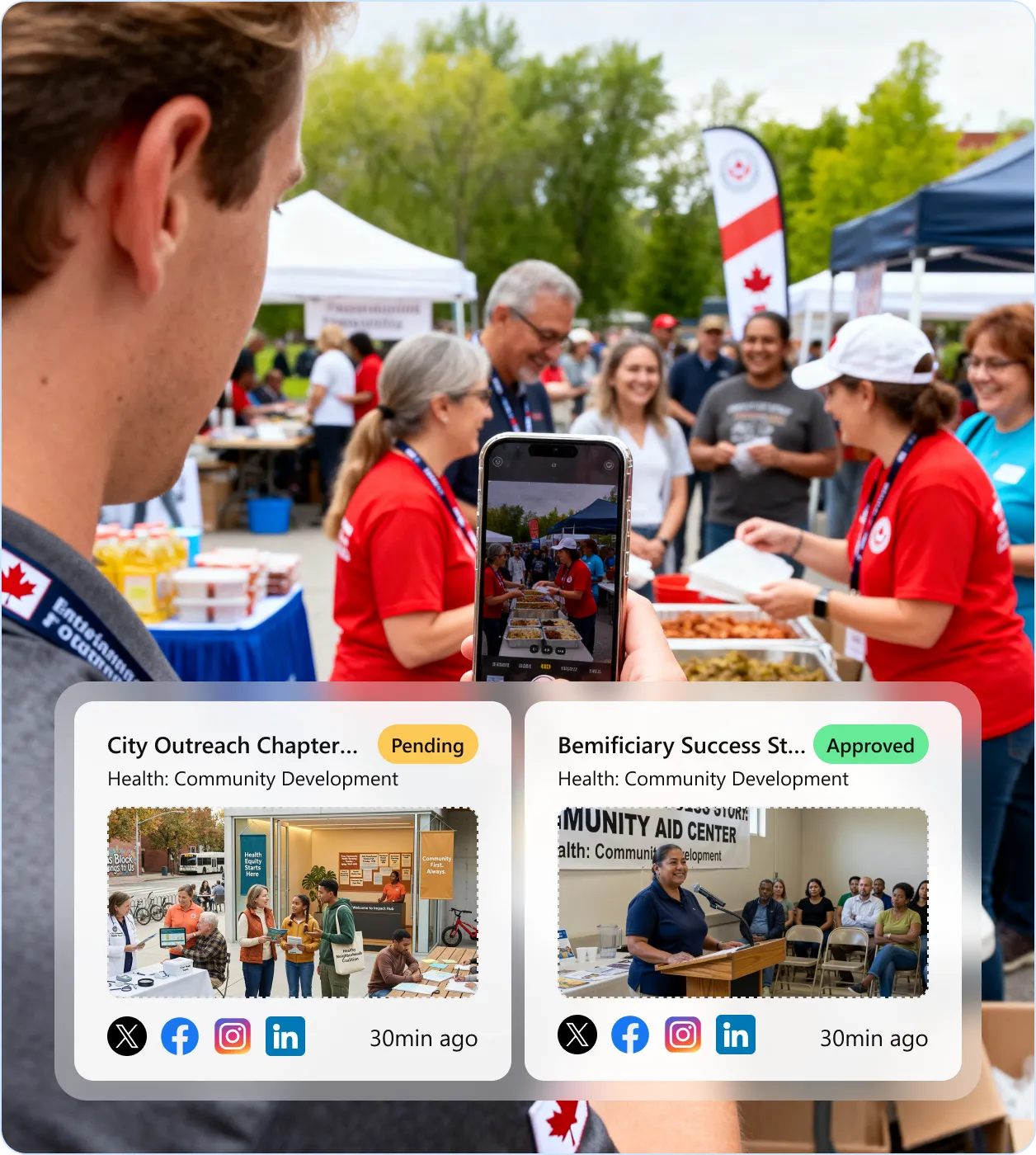
Your best impact content never leaves someone’s camera roll
According to Georgetown CSIC, 86% of nonprofits use social media, yet fewer than half dedicate one FTE to managing it. Your program officers, field coordinators, and volunteers witness the moments that inspire giving: a community health worker completing 500 home visits, a food bank serving its 10,000th family, a youth mentorship graduate. None of it reaches your official accounts. According to Sociabble, employee-shared content generates 8x more engagement than corporate-produced content. That content is being lost across your chapters every day.

One unreviewed post endangers the people you serve
A volunteer photographs beneficiaries receiving aid. The background reveals location details that put vulnerable populations at risk. A field worker includes identifying details of abuse survivors. A chapter coordinator posts content CRA auditors flag as partisan political activity, threatening your charitable status. According to Statistics Canada, 81.8% of Canadian nonprofits use volunteers, with an average of 32 per organization. Without pre-publication review, every volunteer with a phone is a source of risk to your beneficiaries and your donor relationships.

Your communications team cannot create local content for every chapter
You operate 25 chapters across provinces. Each runs its own events, programs, and community partnerships. One communications person at national HQ cannot capture a food bank drive in Vancouver and a youth mentorship session in Halifax on the same day. According to NP Tech for Good, 57% of online donors say nonprofits do NOT effectively communicate impact. Storytelling campaigns centred on real content generate 50% more donations than data-only approaches (Maneva Group).
From the Field to Your Official Accounts in Three Steps
Every post follows a controlled, auditable path from the field to your organization’s official social accounts. Here is the approval chain for a typical multi-chapter nonprofit.
Field workers create
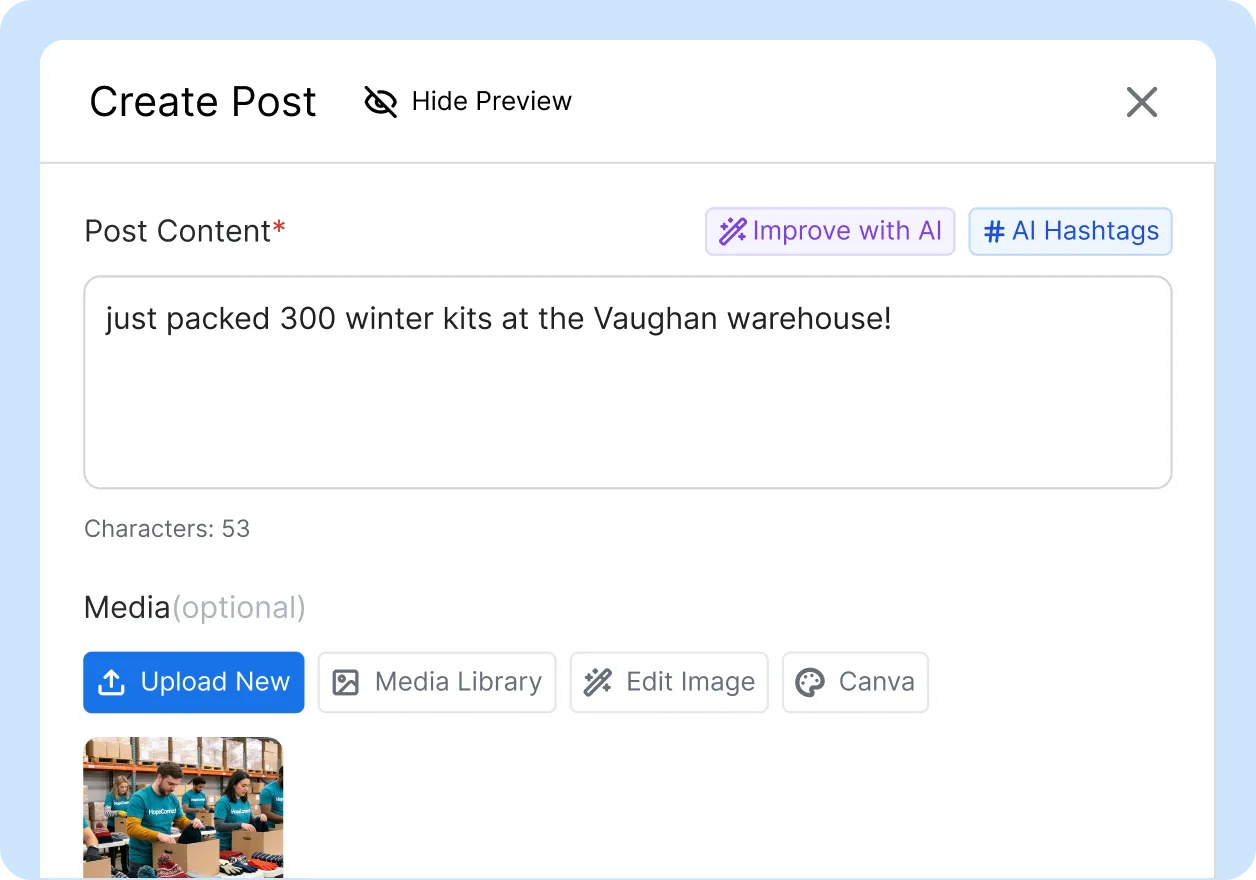
A program officer at a community clinic, a volunteer at a fundraising gala, or a chapter coordinator at an outreach event captures a photo and drafts a social media post from their phone. They select target platforms, add a caption, and submit for review. They never see or touch your social media credentials.
Your chain reviews
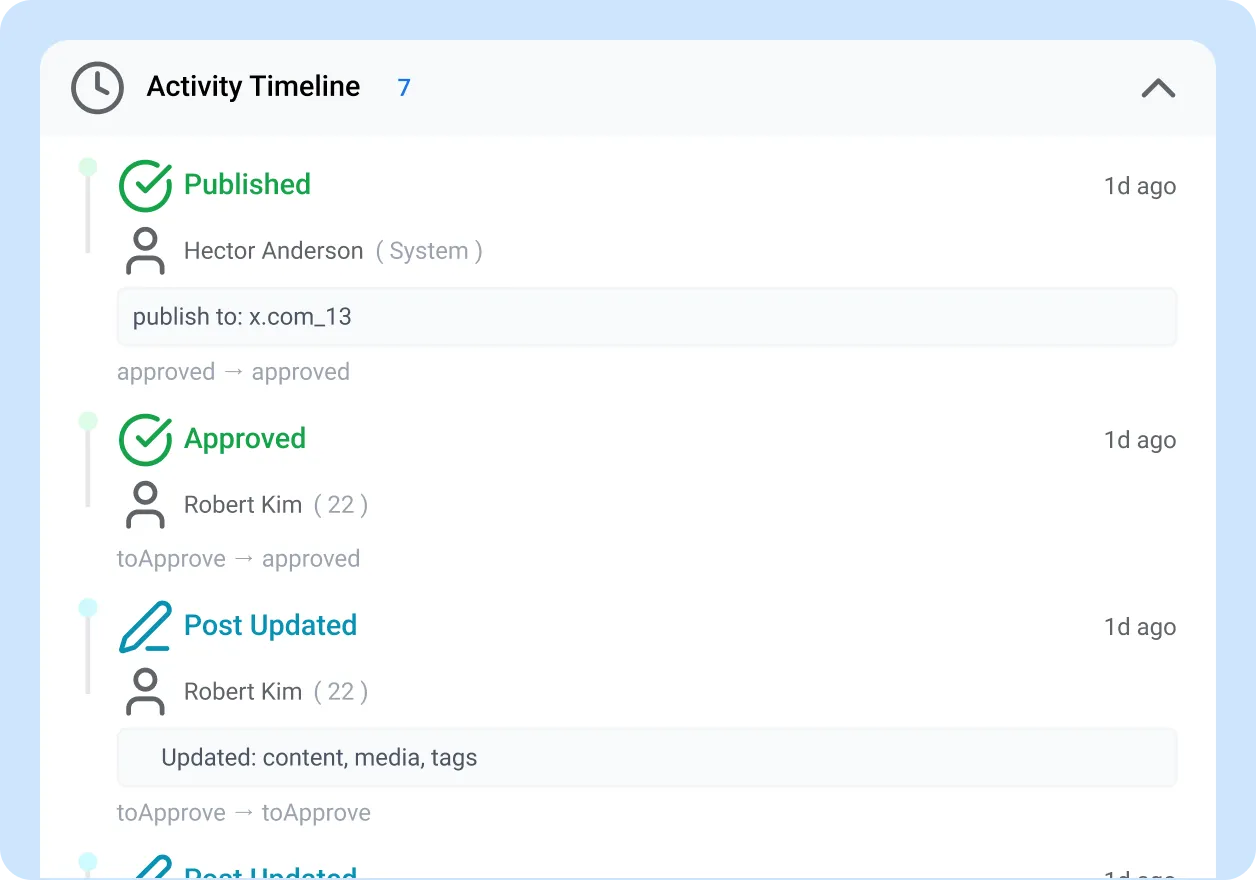
The post flows through your configured approval levels: chapter lead checks accuracy, safeguarding officer screens for beneficiary privacy and consent, and HQ communications verifies brand alignment and CRA compliance. Reviewers can approve, reject, or request changes with threaded feedback. Parallel reviewers evaluate simultaneously.
Auto-publish
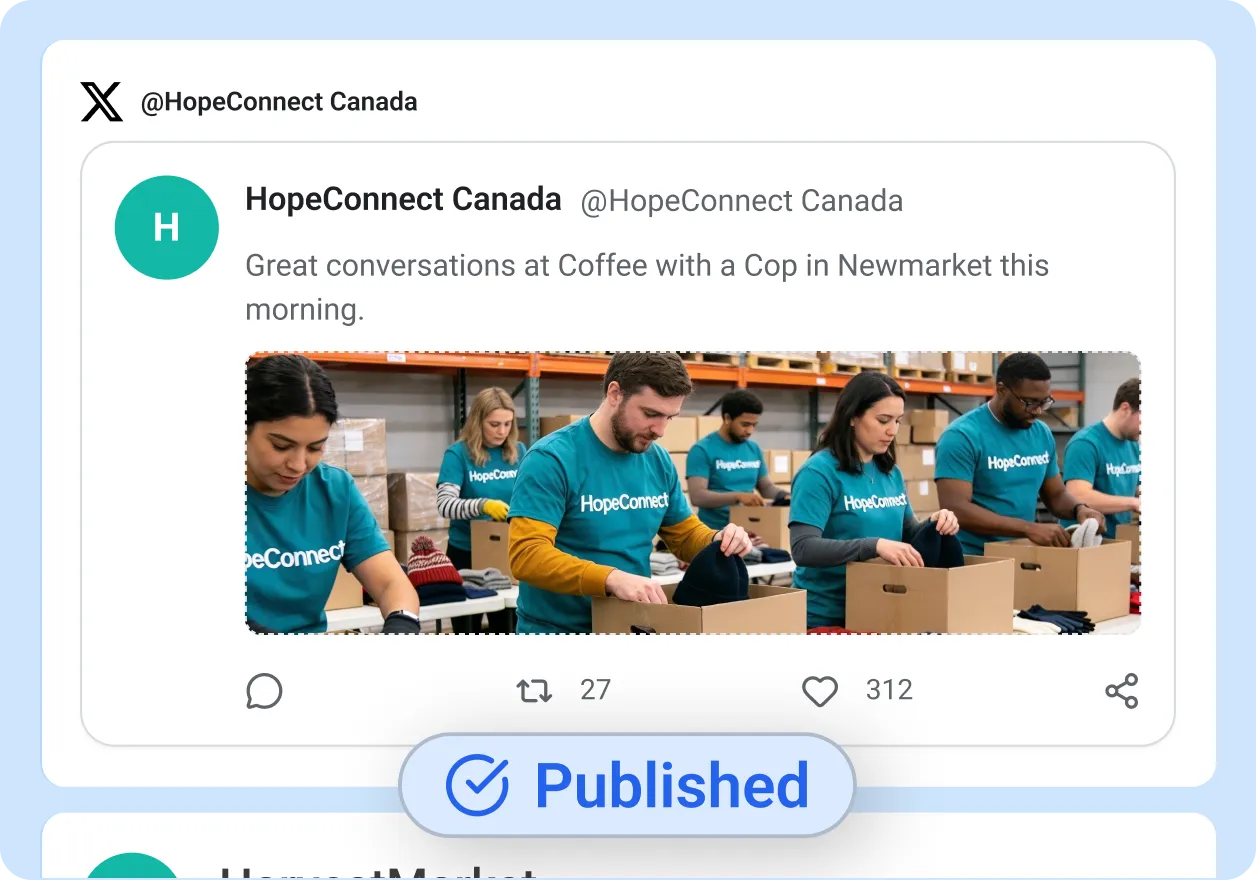
Once the final reviewer approves, ContentBridge publishes the post to your organization’s official Facebook, Instagram, X, and LinkedIn accounts automatically. The complete audit trail records every action: who created the post, who reviewed it, what changed, and when it went live. This record serves as documentation for CRA inquiries and donor accountability reports.
Three Ways Nonprofits Turn Field Content into Donor Engagement
The content that drives donations is the content your frontline workers already witness every week.

Field workers documenting program impact
Program officers, field coordinators, and outreach workers capture photos and short videos of program delivery, community interactions, and outcome milestones from their phones. Each submission enters the chapter’s approval chain and publishes to official accounts after safeguarding and brand review. GPS/location capture feeds coverage analytics showing which programs and regions generate content and which have gaps.
Powered by: mobile content creation + GPS location capture + coverage maps

Volunteer coordinators capturing community events
Volunteer coordinators and chapter leads document community events, fundraising drives, and local engagement across dozens of chapters. A multi-chapter charity running 200+ events per year across provinces cannot have HQ comms attend each one. AI compliance checking ensures brand voice consistency and proper hashtags before content enters the approval queue.
Powered by: content guidelines + AI compliance checking + department management

Beneficiary success stories with consent review
Program officers and community liaisons capture beneficiary success stories and program outcomes. Multi-level approval maps directly to safeguarding review chains: field worker to safeguarding officer to regional director to HQ communications. The full audit trail provides accountability for every consent and review decision, giving your donors and board the transparency they require.
Powered by: multi-level approval workflows + content guidelines + audit trail
Six Capabilities Built for Large Nonprofit Operations
Social media management for nonprofits requires capabilities that general-purpose tools do not offer. These are the features that matter when your content comes from distributed field workers and volunteers, not from a marketing desk.
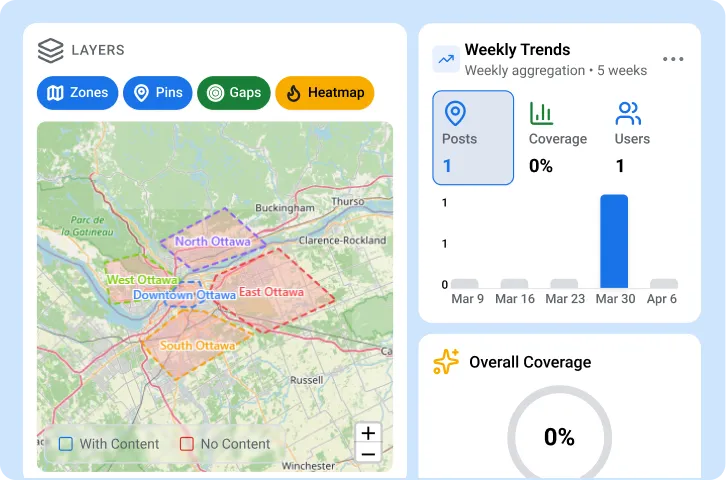
Multi-chapter coverage maps
Interactive maps show which chapters, field offices, and programs are creating content and which have gone silent. Filter by chapter, region, program area, or date range. Role-based access ensures each chapter sees only its own content while your national team maintains organization-wide visibility. Coverage trend reports reveal whether content activity is growing or declining week over week.
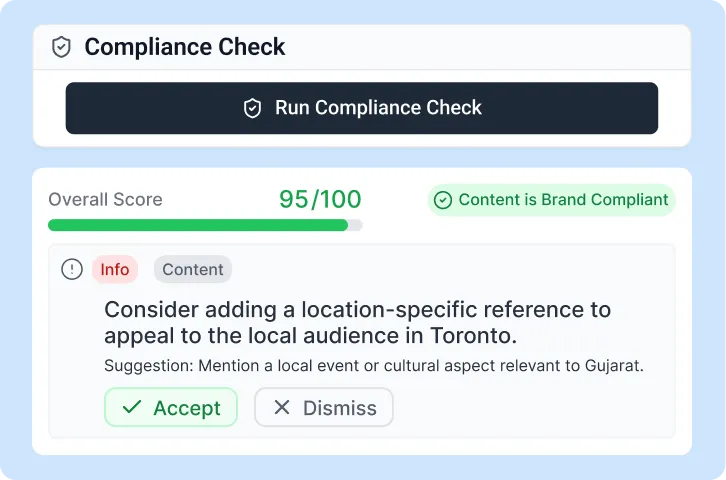
Content guidelines for donor and CRA compliance
Configure compliance rules that flag partisan political statements, unrelated business promotion, and unauthorized fundraising claims. The AI compliance check screens every post against your guidelines before it enters the approval queue. Your compliance reviewer gives final sign-off on flagged content.
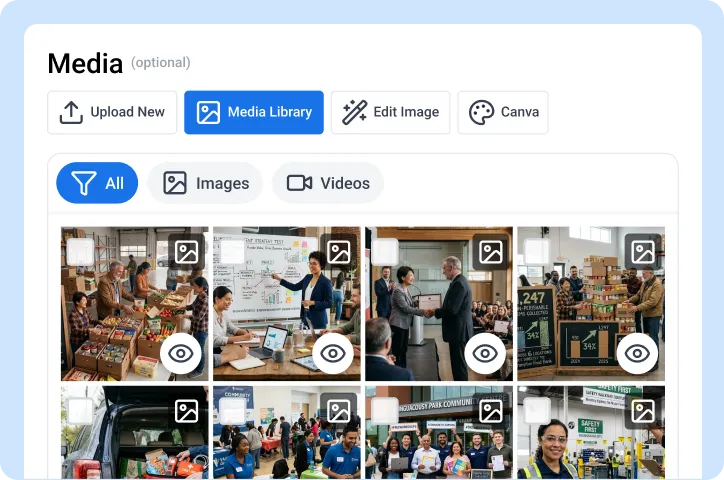
Media gallery for impact visuals
Browse every photo and video captured across all chapters and field offices in a searchable, Pinterest-style gallery. Filter by chapter, program, event type, and creator. Approved visuals are automatically tagged with metadata for easy retrieval. Bulk-export collections for grant reports, annual reports, or donor presentations.
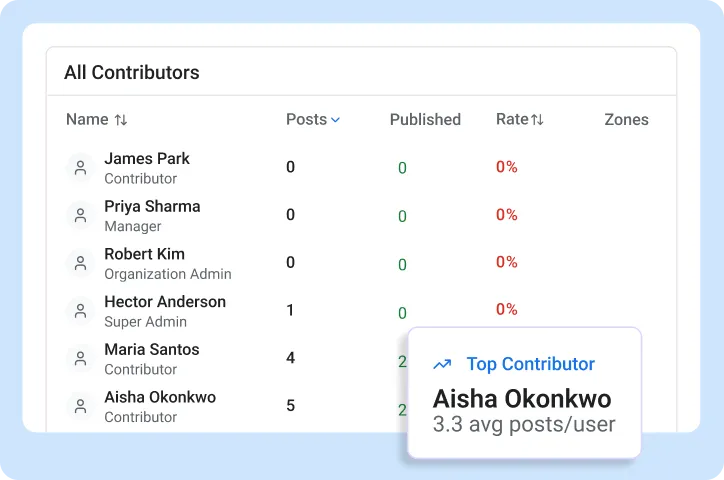
Leaderboards and contributor reports
Ranked contributor lists with gold, silver, and bronze medals show which chapters and volunteers are most active. Filter by chapter, program, or time period. Weekly and monthly leaderboards create friendly engagement that drives content volume across a distributed workforce of staff and volunteers without mandates.
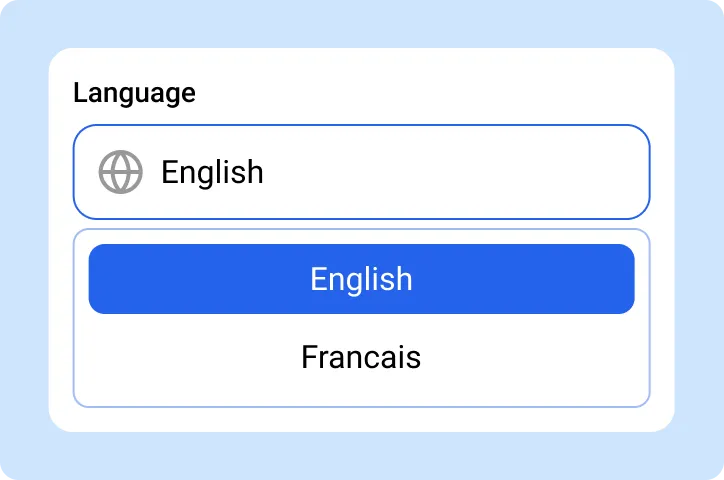
Bilingual support (EN/FR)
The full platform operates in English and French. Content creation, approval workflows, notifications, and the help centre are available in both languages. For federally funded nonprofits required to communicate in both official languages simultaneously, bilingual capability is not a convenience; it is a funding requirement.
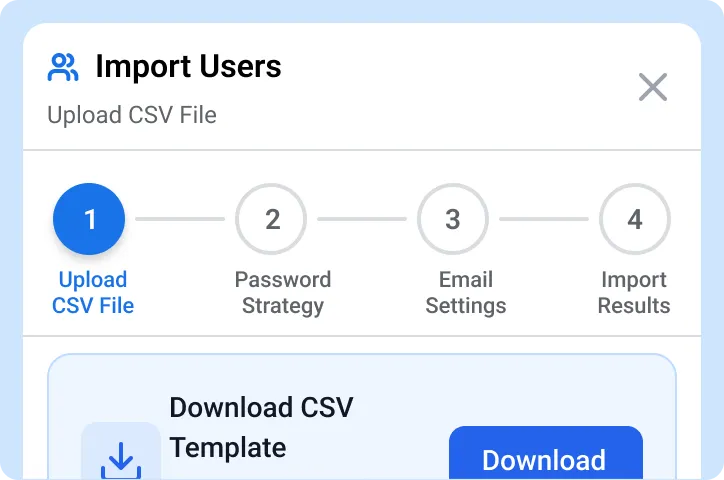
Bulk onboarding for staff and volunteers
Import hundreds of volunteers through bulk CSV upload or shareable invite links. Each person gets their own login with role-based access. Creators never see or touch your social media credentials. When a volunteer’s term ends, deactivate their account without resetting passwords or losing their content history.

“Before ContentBridge, our chapter coordinators either texted photos to the national office or posted to local pages without review. We had no visibility into what 25 chapters were creating on any given day. Four months after rollout, chapter staff and volunteers submit over 200 posts per month. Every post goes through our safeguarding officer and communications team before it reaches a donor’s feed, with an average turnaround under eight hours. Our year-end donor campaign saw a 40% increase in engagement because we finally had authentic field content instead of stock images.”

Jennifer Walsh, Director of Communications
Compliance Followed in Every Post
Beneficiary safeguarding, CRA charity rules, CASL, and privacy legislation govern every post your organization publishes. ContentBridge does not interpret these regulations or replace your compliance team. It gives your reviewers the approval workflow, content guidelines, and audit trail to enforce your organization’s requirements across every chapter, before any post goes live.

Beneficiary consent and safeguarding
Written photo permissions from all beneficiaries and guardians are required, with special requirements for children. Contracts with minors are unenforceable under Canadian law; parental consent alone may be insufficient. ContentBridge’s multi-level approval routes beneficiary content through your safeguarding reviewer before publication. Content guidelines flag posts containing identifiable individuals for additional review.

CRA Income Tax Act compliance
CRA auditors review charity social media content for Income Tax Act compliance. Posts publicizing unrelated businesses may constitute “undue private benefit.” Even brief social media posts can violate political activity prohibitions. ContentBridge’s content guidelines flag promotional and political content for your compliance reviewer before publication.

CASL compliance for fundraising communications
Registered charities have a partial exemption under CASL: messages sent for the primary purpose of raising funds are exempt. An “existing non-business relationship” (donation, volunteering, event attendance) provides implied consent for two years only. Penalties reach $1 million per violation for individuals and $10 million for organizations. ContentBridge’s content guidelines flag promotional content that may trigger CASL requirements for your reviewer.

PIPEDA and provincial privacy
Nonprofits are generally not subject to PIPEDA for non-commercial activities, but selling or leasing donor and membership lists triggers obligations. Provincial privacy laws in Alberta (PIPA), BC (PIPA), and Quebec apply regardless. The Canadian Bar Association recommends voluntary compliance. ContentBridge’s approval chain routes donor-facing and beneficiary-facing content through your privacy reviewer.

Bilingual requirements for federally funded organizations
Federal government-funded nonprofits must provide communications in both official languages simultaneously. Organizations targeting Quebec residents must make commercial social content available in French. ContentBridge’s bilingual platform supports content creation and review in both English and French. Your approval chain can include a language reviewer for Quebec-bound content.

Geolocation safety for vulnerable populations
Geotagged social media content can expose locations of refugees, disaster survivors, and vulnerable populations to exploitation or harm. Organizations need systematic review of location data in field-submitted content. ContentBridge’s content guidelines can flag geotagged field content for your safeguarding reviewer before publication. The audit trail records who reviewed the post and what location data was present.
Compliance depends on proper configuration and your organization’s specific policies. Consult your legal team for complete compliance verification.
Common Questions About ContentBridge for Nonprofits
Does ContentBridge work for multi-chapter organizations with local chapters across provinces?
Yes. ContentBridge supports organizations operating across multiple provinces and chapters. Each chapter has its own approval chain, content guidelines, and connected social accounts. Your national team sees every chapter from a single dashboard. You configure separate content guidelines and approval workflows per chapter and track content creation and compliance across the entire organization. Coverage maps show which chapters are creating content and which have gaps.
How does ContentBridge handle beneficiary consent and safeguarding in social media content?
ContentBridge’s multi-level approval workflow routes beneficiary-facing content through your configured reviewers before publication. Your safeguarding officer screens content for beneficiary privacy, consent documentation, and dignity standards. Content guidelines flag posts containing identifiable individuals for additional review. The full audit trail records who created the post, who reviewed it, and who approved it. The platform does not replace your safeguarding policies, but it provides a structured checkpoint so that sensitive content is always reviewed before it reaches your official accounts.
How does ContentBridge help nonprofits comply with CRA requirements for charity social media?
ContentBridge’s content guidelines flag posts that may contain partisan political statements, unrelated business promotion, or unauthorized fundraising claims before they enter the approval queue. Your compliance reviewer screens flagged content and approves, requests changes, or rejects with documented feedback. Every decision is recorded in the audit trail. The platform does not interpret CRA regulations, but it provides the workflow for your team to enforce your organization’s compliance requirements consistently across every chapter.
How do we get field workers and volunteers to actually create content?
ContentBridge is designed for people who are not social media professionals. Creating a post takes under two minutes: take a photo at an event, write a caption, and submit. Field workers and volunteers do not need training in platform algorithms, scheduling, or brand guidelines. The approval chain handles quality, compliance, and safeguarding review. Leaderboards and contributor reports create visibility and friendly engagement across chapters. Organizations that activate ContentBridge typically see volunteer adoption within the first two weeks.
How quickly can a nonprofit get started with ContentBridge?
Most nonprofits have their first chapter configured and submitting posts within one day. ContentBridge includes nonprofit industry templates that pre-configure common chapter structures and approval hierarchies. You add chapters, invite staff and volunteers through bulk CSV import or shareable invite links, and configure approval chains at your own pace. An organization with 25 chapters typically completes full rollout within two to three weeks. The 20% nonprofit discount applies automatically to verified organizations on all plans.
Other Industries Using ContentBridge
Nonprofits are one of the industries ContentBridge serves. See how frontline content creation works in other verticals.

Government agencies
Provincial and federal agencies empower every department to communicate with constituents through controlled approval workflows and bilingual support.

Healthcare
Hospitals and healthcare networks empower every clinic to share patient success stories and health advisories with PHIPA-compliant approval workflows.

Hospitality
Multi-property hospitality organizations empower hotel staff to create authentic local content with brand review at every level.