

Feature
Social Media Collaboration Tool for Frontline Workers
Your nurses, officers, and franchise staff are deskless workers who create content in the field from their mobile devices. Your approvers review it from their desks. ContentBridge is a mobile-first social media collaboration tool that keeps every content conversation, notification, and status update in one place so both sides stay coordinated across shifts, locations, and time zones. No more chasing content feedback through five different apps.
Real-time
chat and notifications
EN/FR
bilingual onboarding
Per-user
notification preferences
Why Your Content Team Cannot Coordinate Without Social Media Collaboration Tools
When hundreds of frontline employees create content and a handful of approvers manage the queue, coordination breaks down fast. Generic social media collaboration tools built for small marketing teams were never designed for this scale.

Feedback on one post lives in five different places
Without dedicated tools for social media content collaboration, feedback on a single post scatters across email, messaging apps, and hallway conversations. Nobody holds the complete picture. According to a Harvard Business Review study, workers toggle between apps roughly 1,200 times per day and spend nearly four hours each week reorienting after each switch.

Your night shift created content that nobody sees until Monday
Without asynchronous communication tools, the gap between when content is created and when an approver can discuss it stretches from hours to days. According to Statistics Canada, roughly 12 percent of working Canadians work between midnight and 5 a.m. Their time-sensitive posts lose relevance waiting for a cross-shift response.

Important approvals get buried under notifications nobody asked for
Notification fatigue buries the alerts that actually matter. According to Microsoft’s 2025 Work Trend Index, 45 percent of workplace notifications are not relevant to the recipient’s actual responsibilities. When every alert looks the same, posts that need a five-minute content review sit in the approval queue for days.
How ContentBridge Social Media Collaboration Software Connects Your Field Teams and Your Approval Chain
From a frontline worker’s first message to the final approval notification, every interaction in your social media collaboration workflow stays in one system. Here is how teams collaborate on social media content, step by step.
Your frontline worker submits content with full context
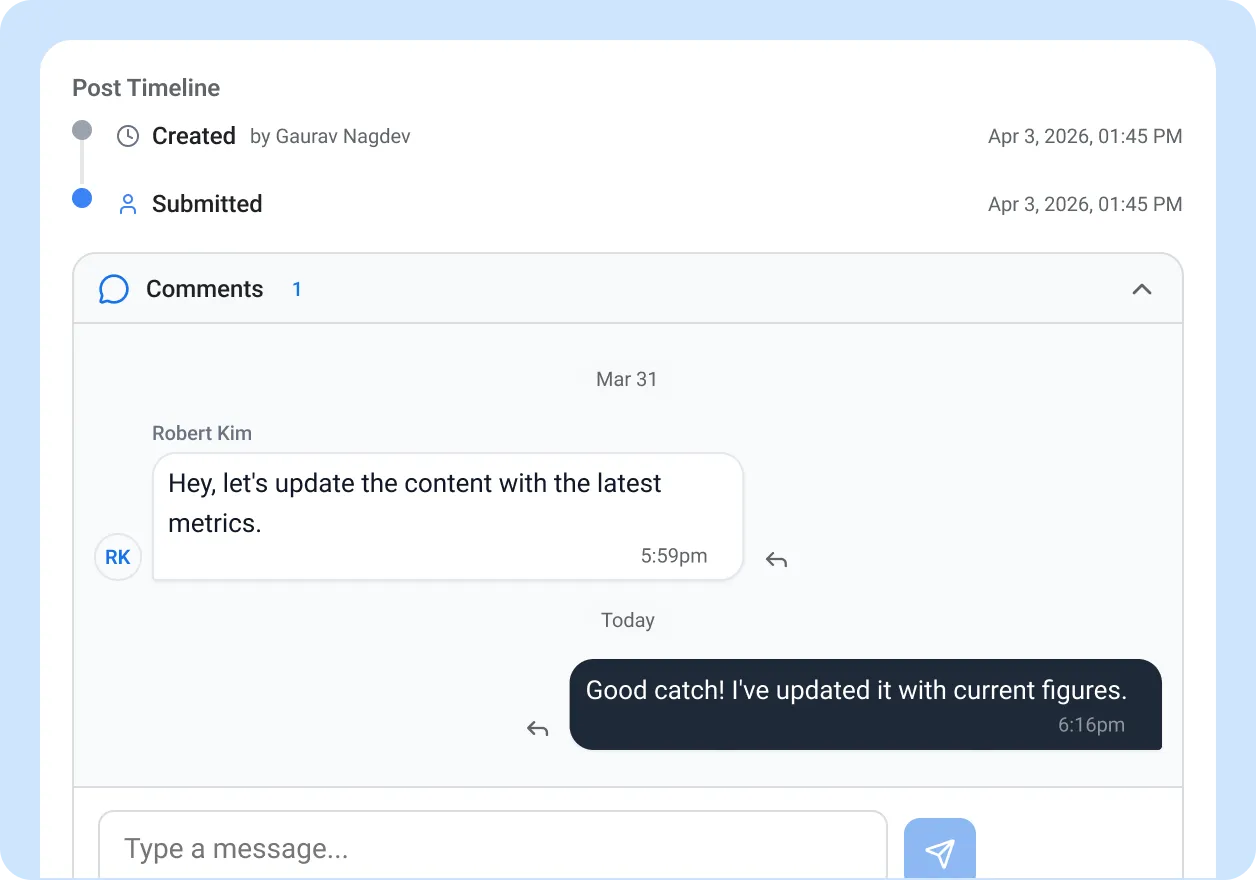
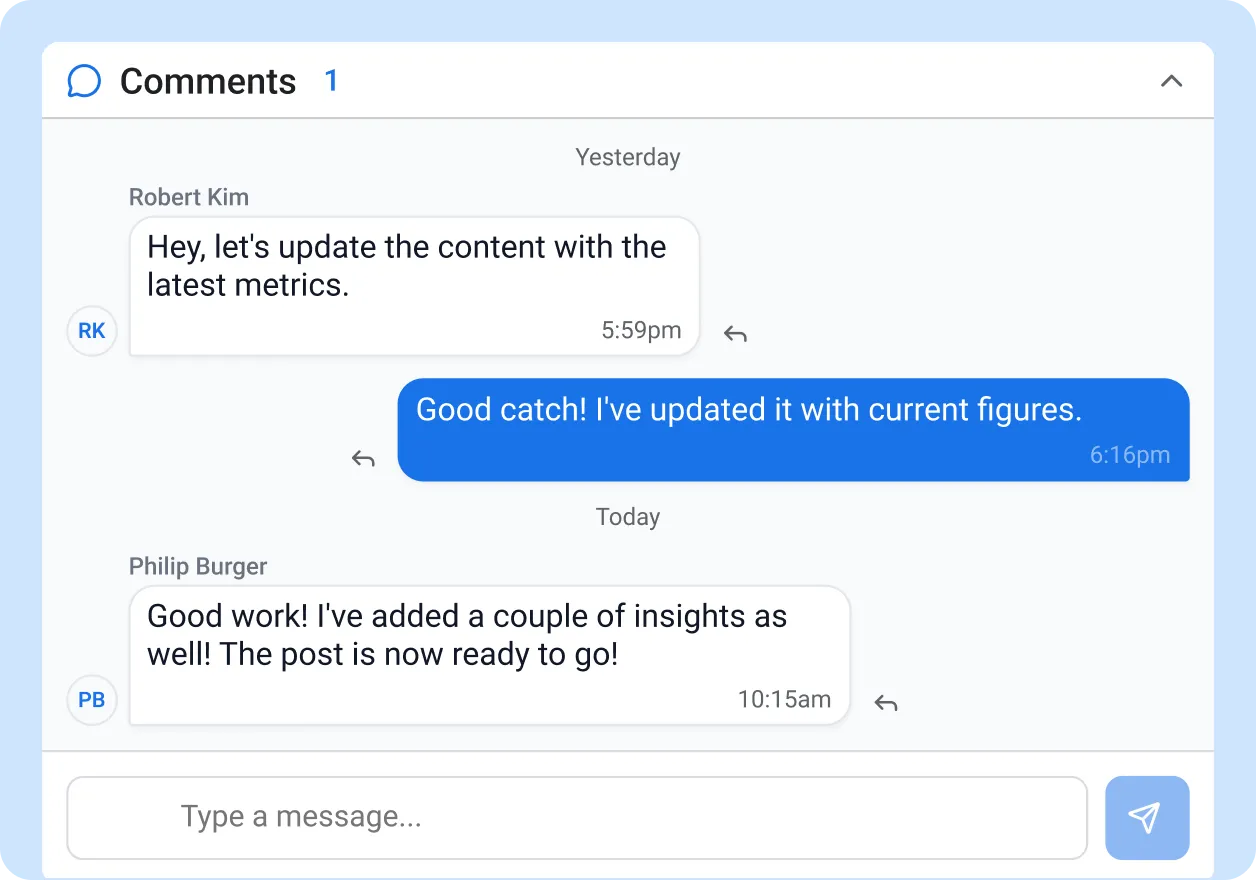
A nurse, officer, or franchise employee captures a photo and drafts a post from their phone. Before submitting, they add context in the post conversation thread: why the content matters, who is pictured, any time sensitivity. The approver opens the submission and finds everything they need to make a decision, with no follow-up emails required.
- Threaded conversations attached to every post
- Media references and attachments within the thread
- Reply to specific messages for precise feedback
- Unread count badges so nothing gets overlooked
Your team discusses changes without leaving the platform
The approver reviews the post and requests a tighter crop directly in the conversation thread. The creator sees the request instantly on their phone, makes the edit, and resubmits. For broader coordination that spans multiple posts, team members use team chat channels organized by department, region, or project. Every message, photo, and decision stays in one platform instead of scattered across email and personal apps. This is what separates collaborative social media management tools from basic scheduling platforms.
- Group-based real-time chat with media attachments
- Create chat groups by department, campaign, or location
- WebSocket-powered instant delivery on all devices
- Real-time typing indicators so you know a response is coming
The right notification reaches the right person at the right time
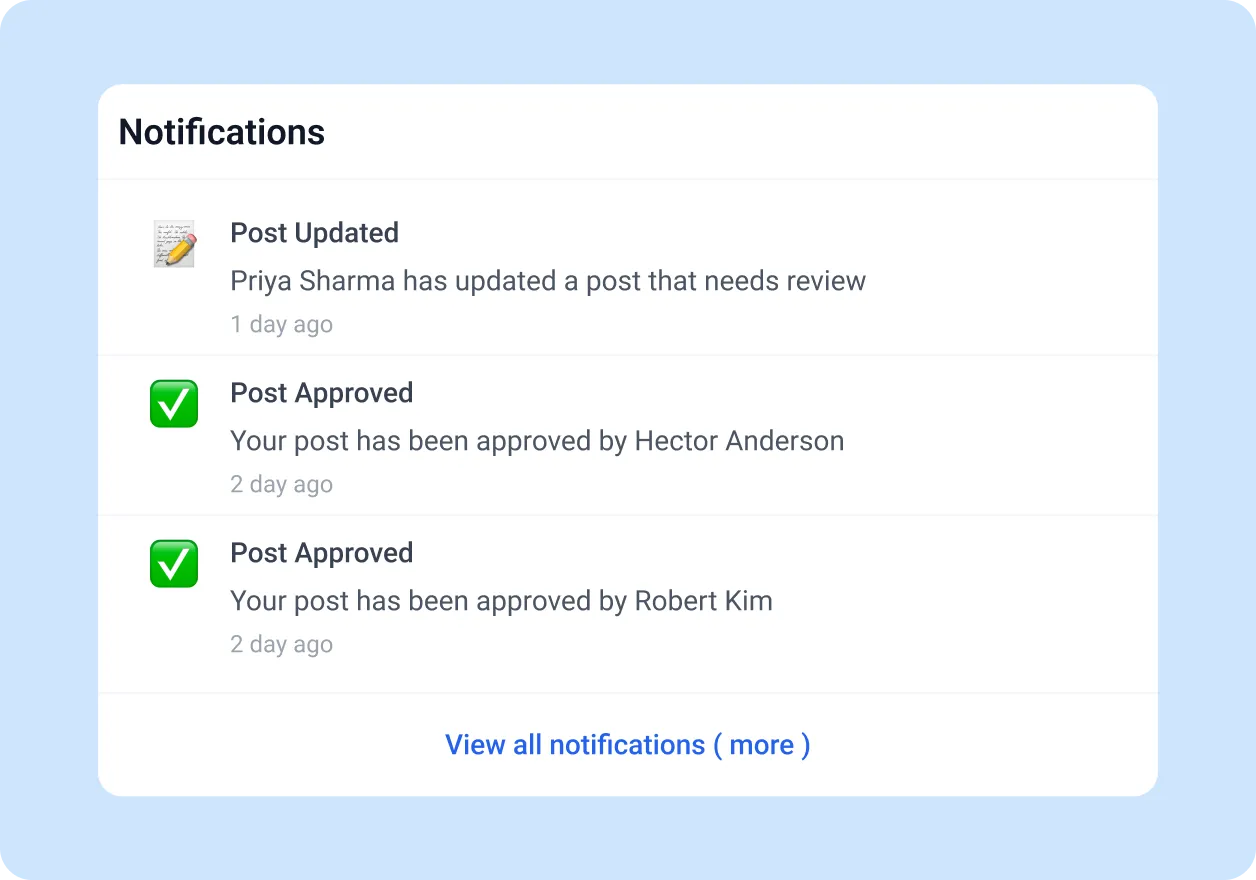
Your approvers choose exactly which events trigger an alert and how they receive it, eliminating alert fatigue at its source. A regional manager overseeing 40 creators can silence draft notifications and receive push alerts only when a post is waiting for their review. A communications director can get email digests instead of real-time pings. Every user controls their own notification experience. Configurable alerts are a core requirement of social media collaboration tools built for large, distributed teams.
- Configurable preferences for email, push, and in-app notifications
- Gmail-style notification inbox with filters for All, Unread, and Read
- Search notifications by keyword to find specific alerts
- Bulk mark-as-read to clear processed items quickly
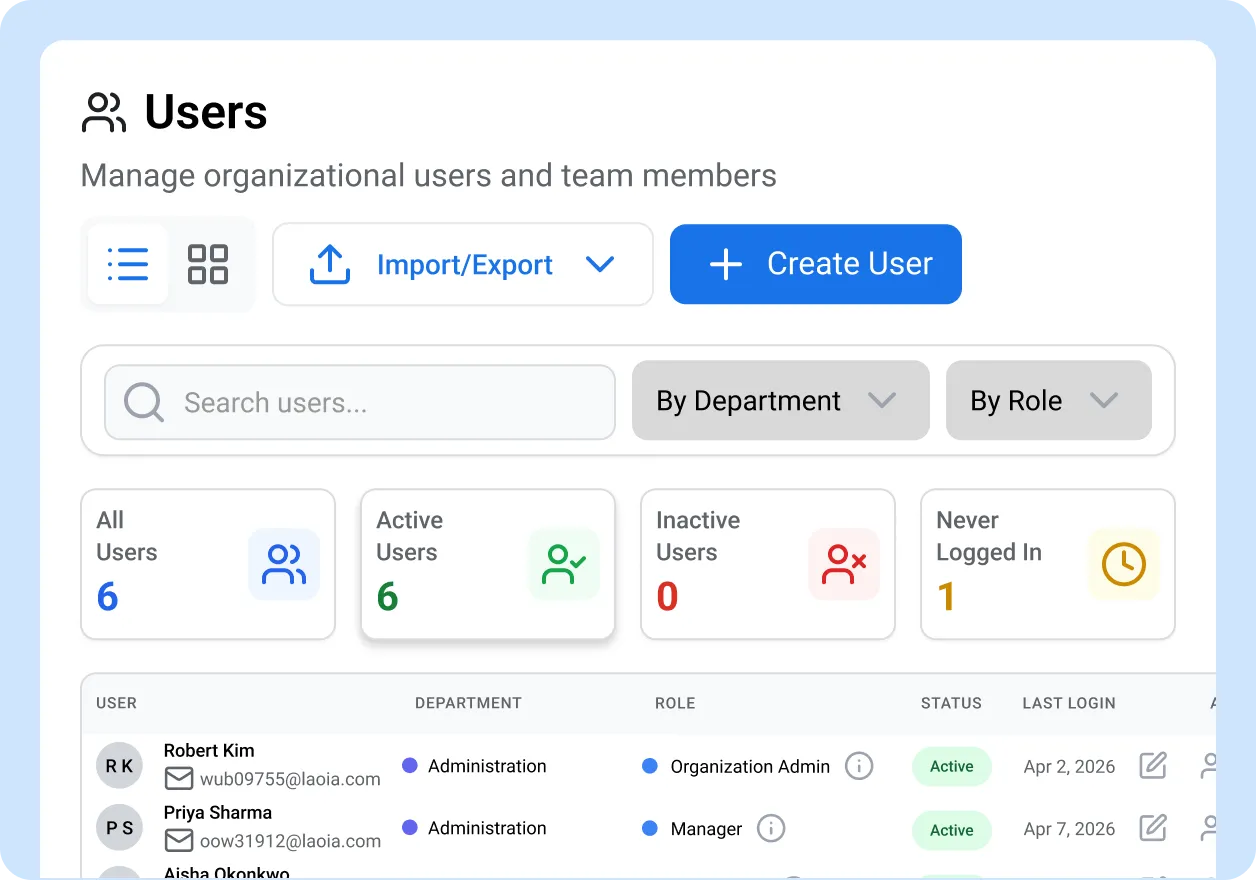
New team members join the workflow in minutes, not weeks
When 50 new officers or nurses join your multi-location organization, you do not need to send 50 individual emails and schedule 50 orientation meetings. Employee onboarding happens in bulk: upload a CSV, assign departments and roles, and let ContentBridge handle the rest. Each new member receives a customized welcome email in their preferred language with everything they need to start creating and collaborating immediately.
- Bulk CSV import with scheduled email delivery
- Customizable welcome, invitation, and password reset email templates
- Bilingual templates in English and French
- Invite links with pre-assigned departments and roles for self-registration
What Makes ContentBridge Social Media Teamwork Tools Different
Every capability exists because multi-location organizations in regulated industries needed better social media teamwork tools to coordinate frontline worker communication around content.

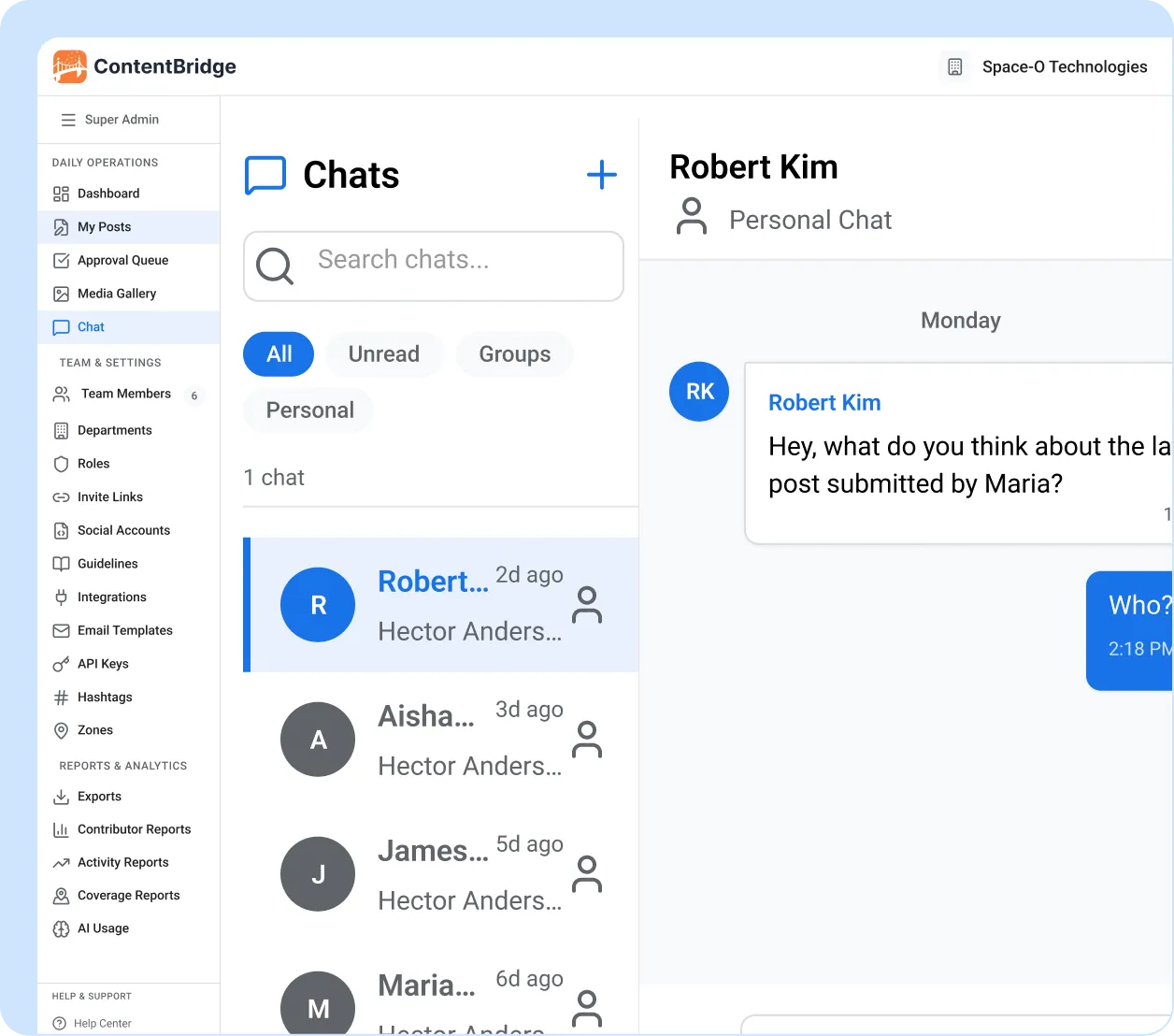
Group chat built for content teams
Create team chat groups by department, region, or campaign. Share real-time messages and media attachments without switching to external apps. Unread badges on each group ensure you always know where new activity is waiting. All messages are delivered instantly through WebSocket connections, creating a complete audit trail of every conversation. Whether you need social media collaboration for marketing teams or frontline field staff, group chat keeps everyone aligned.

Notifications you actually control
Every user configures which events trigger alerts and how they arrive, ending notification fatigue before it starts. Choose between email, push notifications, or in-app alerts for each event type. Managers who oversee large teams can silence low-priority events and receive only the alerts that require their action.

Notification inbox with search and filters
Your notification inbox works like email. Filter by All, Unread, or Read. Search by keyword to find a specific alert. Mark items as read individually or in bulk. When you manage 40 creators, you need a system that lets you find what matters without scrolling through everything.

Push notifications to any device
Browser push notifications powered by Firebase Cloud Messaging reach approvers on their mobile device, tablet, or desktop the moment a post needs attention. A night-shift submission does not wait until someone checks their inbox on Monday morning. This is how mobile-first collaboration works for deskless employees across every shift.

Bilingual email templates
Customize your welcome, invitation, and password reset emails with a rich text editor. Every template supports English and French for brand consistency across your organization. New team members receive onboarding communications in their preferred language, which matters when your workforce spans multiple provinces.

Bulk onboarding at scale
Staff onboarding at scale: import 50 or 500 new users from a CSV file with scheduled email delivery and configurable password strategies. Invite links with pre-assigned departments and roles let new members self-register and land in the correct team with the correct access control permissions from their first login.

“Before ContentBridge, our nurses would text photos to the communications office and then call to explain the context. Half the time the message got lost between shifts. Now everything lives in one thread on the post itself. Our approval time dropped from three days to under eight hours because approvers stopped waiting for context that was already there. We onboarded 120 new staff last quarter using bulk import, and every one of them received a bilingual welcome email and was posting within their first week.”

Priya Sharma, Director of Public Affairs
Common Questions About ContentBridge Social Media Collaboration
How does ContentBridge keep content discussions in one place?
Every post in ContentBridge has a threaded conversation attached to it. Approvers and creators exchange feedback, reference media, and track changes directly on the post itself. Separate from post-level threads, group-based chat channels let teams coordinate across multiple posts, share context, and discuss strategy. All content collaboration lives inside ContentBridge, so nothing is lost in email, text messages, or personal messaging apps. This unified social media collaboration workflow for enterprises means every conversation is searchable and tied to the post it belongs to.
Can ContentBridge handle teams working across different shifts and time zones?
Yes. All chat messages and post conversations are persistent. A frontline worker on a night shift can leave detailed context with their submission, and the approver picks it up when their shift starts. Push notifications ensure nothing sits unnoticed. This asynchronous communication model means every message is timestamped and searchable, so neither party needs to be online at the same time to collaborate effectively.
Does ContentBridge let managers control which notifications they receive?
Yes. Every user can configure their notification preferences independently. You choose which events trigger email alerts, which trigger push notifications, and which stay silent. Preferences can be set per channel type and per language (English or French). Managers who oversee large teams can filter their notification inbox by read status and search for specific alerts instead of scrolling through hundreds of messages.
Do frontline workers need training to use the collaboration features?
The chat and notification interfaces are designed to feel familiar to anyone who uses a messaging app on their phone. Group chat works like any consumer chat application, with text messages, media attachments, and unread badges. Post conversations use a threaded format similar to commenting on a social media post. Most organizations report that frontline workers are comfortable using these features within their first session. The interface mirrors how teams collaborate on social media content in familiar consumer apps, so adoption happens naturally.
How quickly can we onboard 50 new team members into ContentBridge?
You can onboard new team members in bulk using CSV import with scheduled email delivery. Each new member receives a customized welcome email in their preferred language. Invite links with pre-assigned departments and roles let new users self-register and land in the right team with the right permissions immediately. Most organizations complete a batch of 50 or more new users in under an hour.
Features That Work With Team Collaboration
Team collaboration is one part of how this social media collaboration software keeps your frontline content operation running smoothly across franchise social media, public sector communications, and every other vertical. These features work alongside it.

Multi-level approval workflows
Route every post through unlimited approval levels with parallel reviewers. The collaboration features on this page feed directly into and wrap around your approval chain.

AI Content Assistant
AI content assistant for frontline workers that helps generate captions, rewrite drafts, suggest hashtags, and check brand compliance for social media posts.

Department and organization management
Structure your teams into departments with parent-child hierarchies and colour-coded org charts. Department structure determines who collaborates with whom and how approval chains are routed.