

Feature
Social Media Scheduling and Planning for Frontline Workers
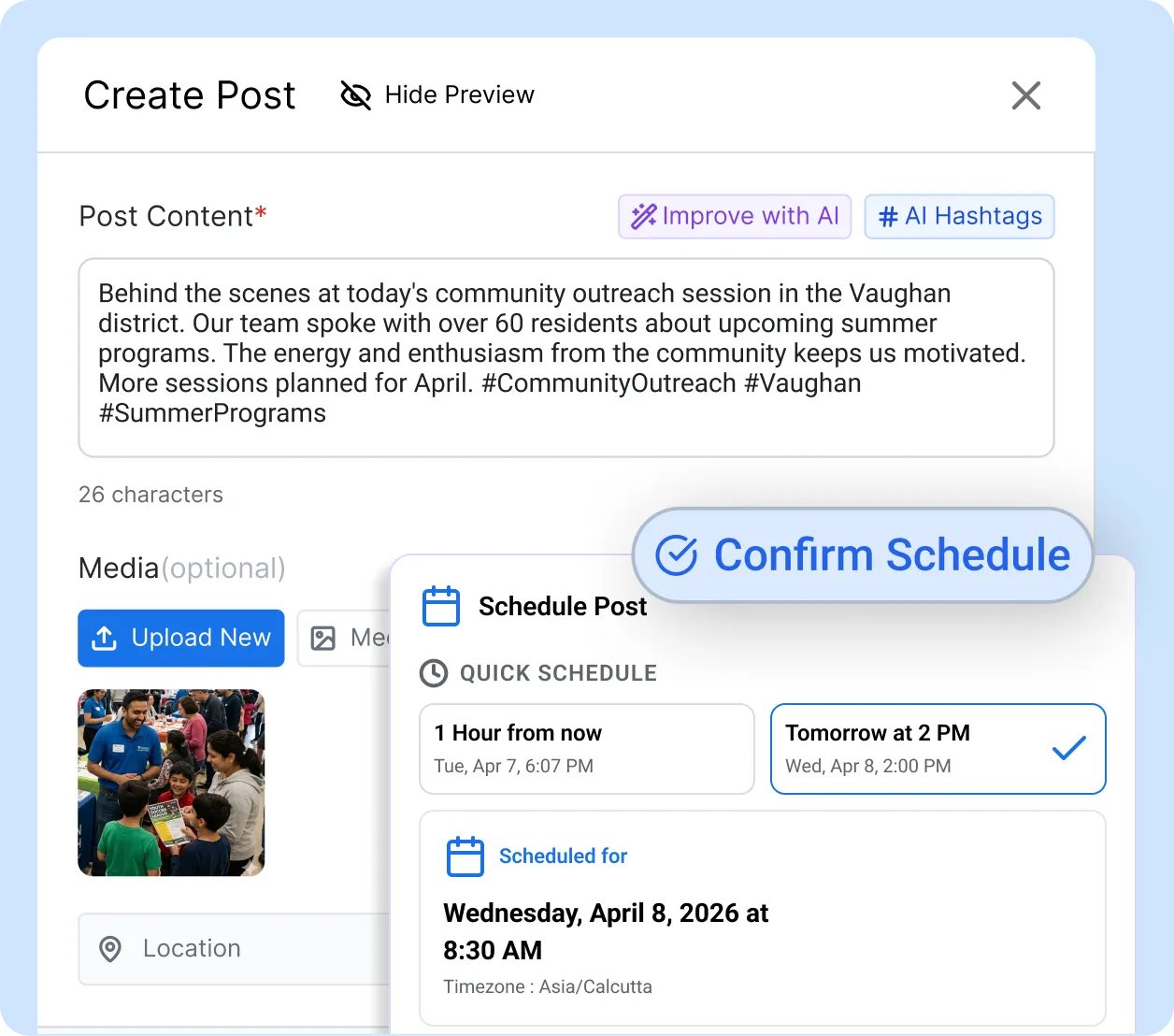
Officers, nurses, franchise operators, and field teams schedule social media posts from their phones in the same moment they create them. Set the publish time during content creation, run it through your approval workflow, and watch it go live automatically across Facebook, Instagram, X, and LinkedIn. No separate scheduling step. No missed publishing windows.
4 platforms
from one scheduled post
Zero
manual handoffs after approval
1 screen
to create, schedule, and submit
Why scheduling breaks down when content comes from hundreds of people
Sprout Social found that 73% of brands struggle with consistent posting frequency. Most social media content planning software was built for small marketing teams, not large organizations with frontline creators. The problem has three layers.

Two hundred people are posting and nobody sees the full picture
When frontline workers across departments submit content independently, coordination breaks down. Three teams post about the same topic in one hour while others go weeks without publishing. According to the Content Marketing Institute, 43% of marketing teams report missed deadlines or duplicate content due to poor coordination.

Approved posts sit in a queue while the moment passes
A post gets approved on Tuesday, but nobody schedules it until Friday. By then the moment is gone. A Kapost and Gleanster study found that 52% of companies miss content deadlines because of this disconnect. A Facebook post receives 75% of its engagement within five hours, according to Wiselytics.

Great content captured at 6 AM gets posted at 6 AM
Frontline workers capture content when the moment happens, not when the audience is online. Dawn photos and night-shift milestones get posted on the spot because there is no way to schedule from a phone. CoSchedule found that missing the optimal posting time creates a 21% difference in click-through rates.
How ContentBridge Keeps Your Social Media Content Planning Workflow on Track
Your frontline workers set the publish time. Your approval chain controls what goes live. The system handles everything in between. Here is how to plan social media content and move it from creation to publish, step by step.
Set the publish date while you create the post
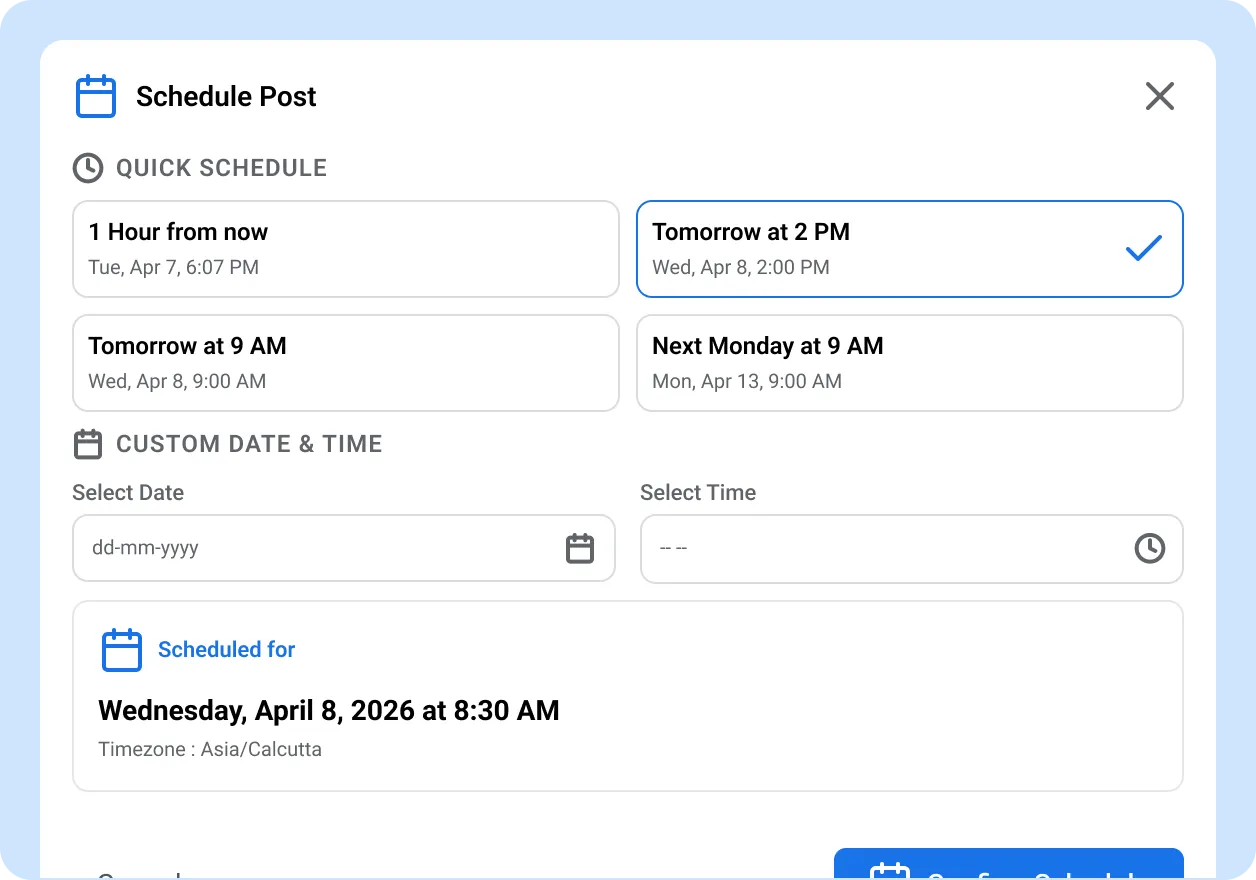
Your frontline worker opens ContentBridge on their phone, writes the post, attaches a photo or video, and picks the platforms. In the same screen, they choose the date and time for publishing. There is no separate scheduling tool, no follow-up step, and no need to hand the post off to someone with desktop access. Unlike standalone tools to schedule social media posts, ContentBridge keeps everything in the same creation flow.
- Set any future date and time for publishing
- Select from Facebook, Instagram, X, and LinkedIn
- Attach and edit media with the built-in image editor
- Save as draft if you need more time before submitting
Submit for approval with the schedule locked in
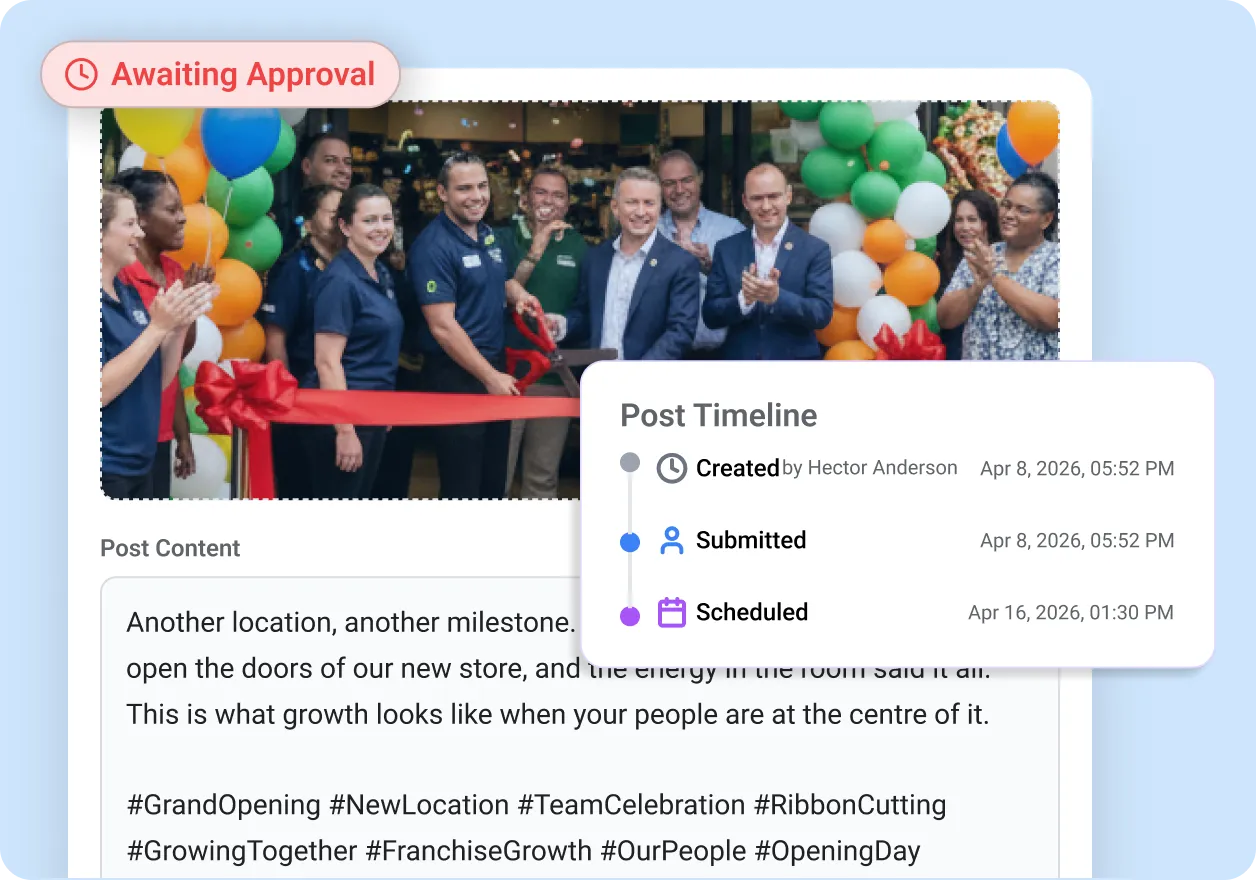
The post enters your approval workflow with its scheduled publish date already attached. With most social media post scheduling software, the approval and scheduling steps are disconnected. In ContentBridge, approvers see exactly when the post is set to go live. They can review the content, request changes through threaded conversations, and approve when ready. The scheduled time stays fixed throughout the entire approval chain, no matter how many levels it passes through.
- Scheduled date visible to every approver in the chain
- Multi-level approval without resetting the publish time
- Request changes without losing the scheduled date
- Threaded conversations keep feedback in context
Approved content publishes automatically at the right time
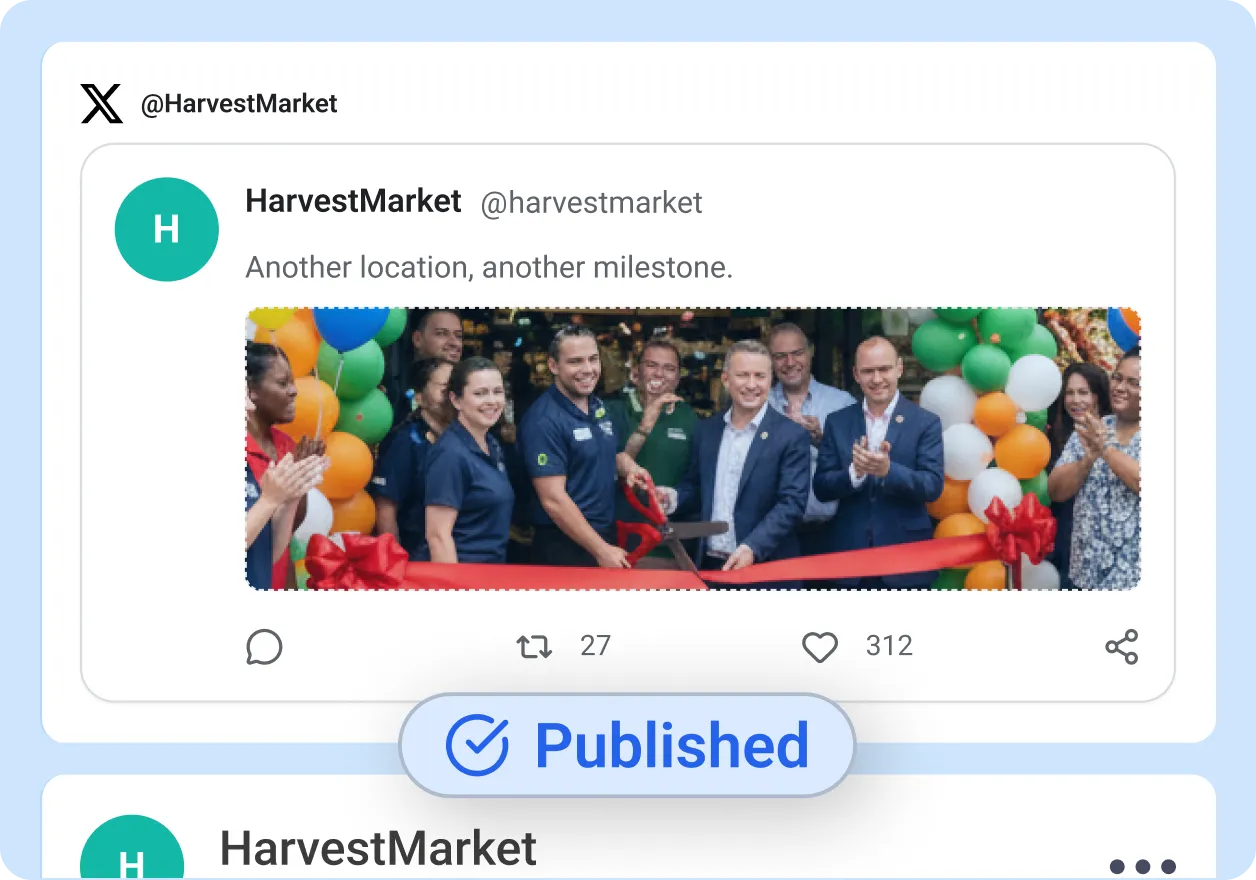
Once a post is approved, it moves to the automated publishing queue. This is where the social media content planning workflow pays off. When the scheduled time arrives, ContentBridge publishes it to every selected platform simultaneously. No one needs to be at their desk. No one needs to remember to press a button. If a publish fails on one platform, the system retries it automatically without affecting the other platforms.
- Auto-publish at the scheduled time after final approval
- Simultaneous publishing across all selected platforms
- Automatic retry for individual platform failures
- Real-time status updates via push notifications
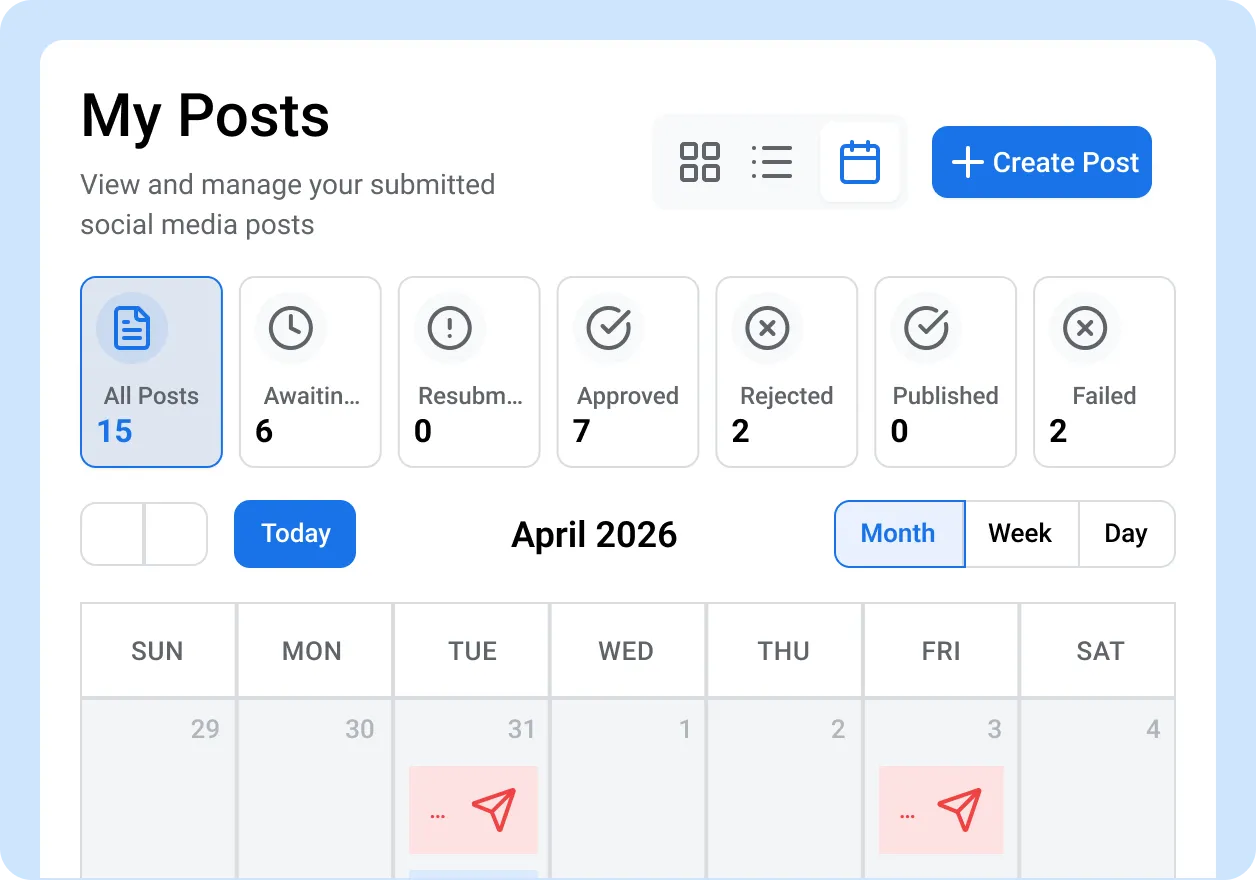
See Your Full Publishing Schedule With Social Media Content Calendar Tools (Coming Soon)
The social media editorial calendar (coming soon) will show every scheduled, pending, and published post in Month, Week, or Day view. Colour-coded entries will let you spot overlaps and gaps immediately. Drag and drop to reschedule posts without re-entering the approval workflow. When your entire team’s content is visible in one place, you stop guessing what is going live tomorrow.
- Month, Week, and Day calendar views
- Drag-and-drop rescheduling
- Colour-coded entries by status and department
- Filter by platform, creator, or department
What makes ContentBridge scheduling different
Every capability exists because large organizations with hundreds of frontline creators need social media scheduling software that works inside an approval workflow, not around it.

Schedule during post creation
Set the publish date and time while writing your post. The scheduling picker is built into the content creation screen, so frontline workers complete everything in one step. No separate scheduling tool or desktop login required.

Mobile-first scheduling
Frontline and deskless workers create and schedule posts from their phones in the field. The full scheduling flow works on any mobile device, from picking the date to selecting platforms to submitting for approval. Content gets scheduled where it gets captured.

Scheduling survives the approval chain
The publish date is set at creation and respected after approval, no matter how many approval levels the post passes through. Approvers review content for brand consistency without resetting the timer. The post goes live at its intended time the moment it clears the final approval.

Multi-platform publishing
Schedule one post for cross-platform publishing on Facebook, Instagram, X, and LinkedIn simultaneously. Select platforms during creation, and ContentBridge handles the rest at the scheduled time. Platform previews show how your post will look on each network before you submit.

Automatic retry for failed publishes
If a platform publish fails at the scheduled time, ContentBridge retries it automatically. You can also retry failed platforms individually without resubmitting the entire post for approval. Push notifications alert you to any issues so nothing slips through.

Social Media Editorial Calendar With Drag-and-Drop (Coming Soon)
A visual publishing calendar is in development. It will show your full schedule in Month, Week, or Day view with colour-coded entries, drag-and-drop rescheduling, and filters by department, platform, or creator.

“Before ContentBridge, our approved posts sat for two or three days because someone had to manually log in and schedule them on each platform. We lost the window on time-sensitive community stories regularly. Now our officers set the publish time when they create the post on their phones, and it goes live automatically after the sergeant and public affairs sign off. We went from a three-day gap between approval and publication to zero. Our monthly post volume has tripled because the scheduling workflow actually keeps up with the pace our teams create content.”

Sgt. Laura Kim, Public Affairs Coordinator
Common Questions About Social Media Post Scheduling Software
How does ContentBridge handle scheduling for frontline teams?
Frontline workers set the publish date and time while creating a post on their phone. The post then goes through your approval workflow with the scheduled date attached. Once approved, ContentBridge publishes it automatically at the scheduled time across all selected platforms. There is no separate scheduling step and no need for anyone to manually press publish.
Can ContentBridge schedule the same post to different platforms at different times?
Each post is scheduled for one publish time and goes live on all selected platforms simultaneously. If you need different timing per platform, create separate posts with different scheduled times for each. The content calendar (coming soon) will give you a clear view of what is going live on which platform and when, so you can stagger timing across networks and follow social media calendar best practices without losing track.
Does ContentBridge keep a record of when posts were scheduled and published?
Yes. The activity log records every action in the scheduling lifecycle: when the post was created, when the scheduled time was set, who approved it at each level, and exactly when it was published on each platform. This full chain-of-custody record is searchable and exportable, which supports social media compliance requirements for regulated industries under PIPEDA, PHIPA, and provincial privacy legislation. Organizations should consult legal counsel for their specific compliance obligations.
Do frontline workers need access to our social media accounts to schedule posts?
No. Frontline workers create and schedule posts through ContentBridge without ever seeing your social media account credentials. Social accounts are connected once by an administrator through secure OAuth. Workers submit content through the approval workflow, and the system publishes to your connected accounts after approval. Your social account passwords stay with your admin team.
How quickly can our team start scheduling posts with ContentBridge?
Scheduling is built into the core post creation flow, so it is available the moment your organization is set up on the platform. There is no separate module to enable or configure. Once your social accounts are connected and your approval workflow is defined, any user with content creation permissions can start scheduling posts immediately. Teams that want to learn how to plan social media content at scale can be up and running within a single session.
Features That Work With Social Media Scheduling and Planning
Scheduling is one part of how ContentBridge, our social media scheduling software, moves content from a frontline worker’s phone to your official social accounts. These features work alongside it.

Multi-level approval workflows
Every scheduled post goes through your approval chain before it goes live. Unlimited approval levels, threaded feedback, and parallel approvals keep timing and quality aligned.

AI Content Assistant
AI content assistant for frontline workers that helps generate captions, rewrite drafts, suggest hashtags, and check brand compliance for social media posts.

Analytics and reporting
Track which departments are publishing consistently and which have gone quiet. Activity reports and contributor leaderboards show the full picture of your team’s publishing cadence.