

For Law Firms
Social Media Management for Law Firms
Your firm employs hundreds of lawyers across multiple offices, but a small marketing team manages every social media post. Your associates, partners, and paralegals are frontline workers with no safe way to contribute content. One unreviewed post that violates Law Society advertising rules puts the entire firm at risk. ContentBridge turns them into content creators with approval workflows that enforce compliance before anything goes live. No shared passwords. No rogue posts. Full audit trail on every action.
Every office
one dashboard
<18 hrs
submission to publish
Every post
reviewed before publish
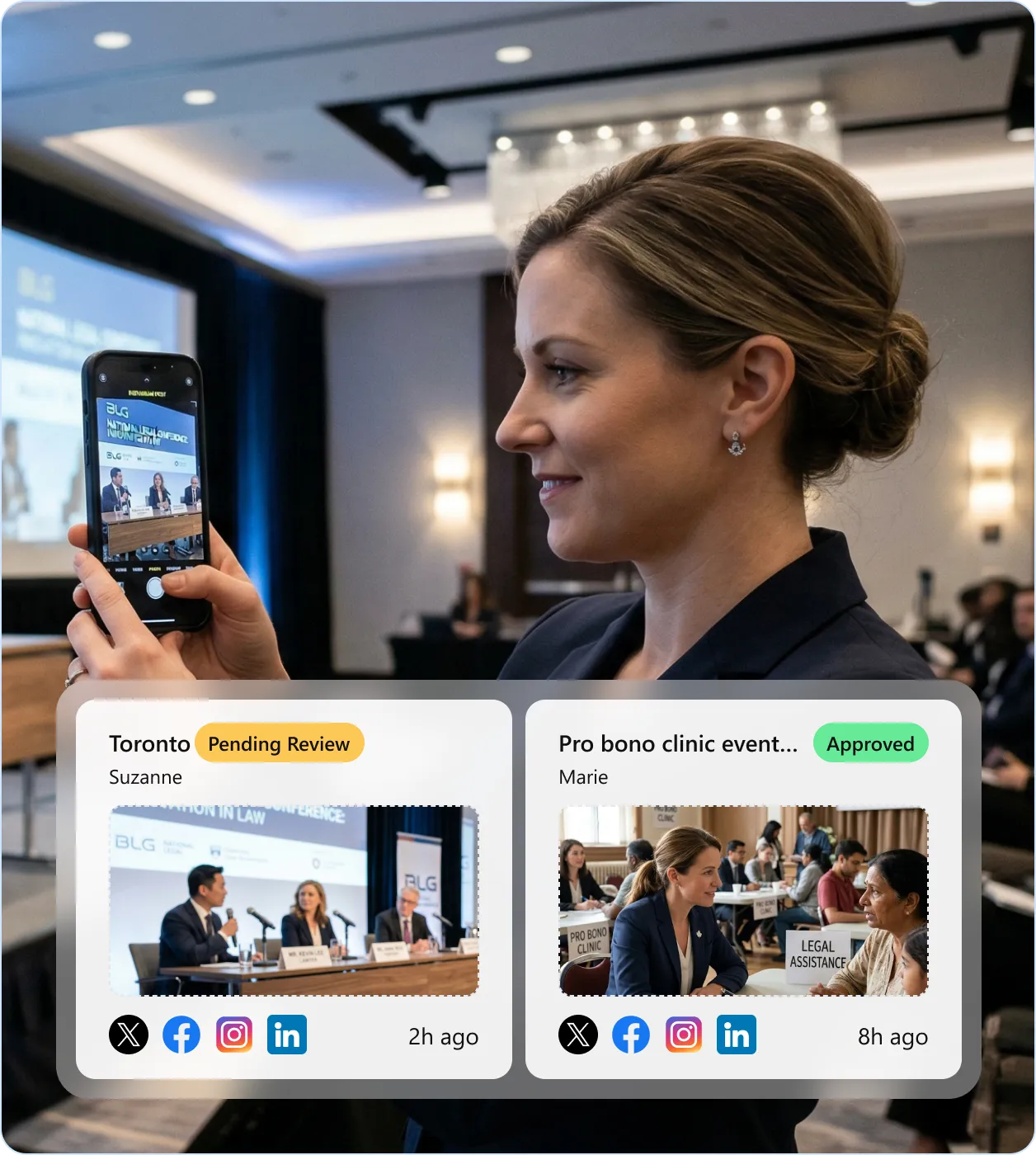
Why Law Firm Social Media Stalls at Scale
Law firms with multiple offices and hundreds of frontline workers hit the same three walls when they try to scale social media management for legal teams. If any of these sound familiar, the problem is structural, not creative.

Your best firm content stays on someone’s personal LinkedIn
According to the ABA 2023 Legal Technology Survey, 84% of law firms use social media, yet 31% of lawyers who gained clients through social media did so from personal accounts, not firm accounts. Your firm’s official pages post generic partner announcements while associates build personal brands from conferences, pro bono clinics, and court victories. According to Sociabble, employee-shared content generates 8x more engagement than corporate posts. That engagement is accruing to personal profiles, not to the firm.

One unreviewed post triggers a Law Society complaint or client loss
In Law Society of Ontario v. Forte (2019), a Toronto lawyer was disciplined after his articling student tweeted confidential client information and named judges from the firm’s official account. A UK firm lost two major contracts after a partner celebrated a “great win” against parents of a vulnerable child on the firm’s Twitter. According to the ABA, less than 46% of law firms have a social media policy, and 49% of lawyers do not know if their firm has one.

Your firm operates across provinces with different Law Society rules
The Nova Scotia Barristers’ Society bans the words “specialist,” “expert,” and their synonyms in all marketing. The Law Society of Ontario prohibits claims of superiority and emotional appeals. Each province interprets the Federation of Law Societies Model Code differently. A LinkedIn post compliant in Toronto may violate advertising rules in Vancouver or Halifax. A marketing team of three cannot review posts from 500+ lawyers across six offices in real time.
From the Courtroom to Official Firm Accounts in Three Steps
Every post follows a controlled, auditable path from the field to your firm’s official social accounts. Here is the approval chain for a typical multi-office law firm.
Lawyers create
An associate at a conference, a partner at a pro bono clinic, or a paralegal at a community event captures a photo and drafts a social media post from their phone. They select target platforms, add a caption, and submit for review. They never see or touch the firm’s social media credentials.
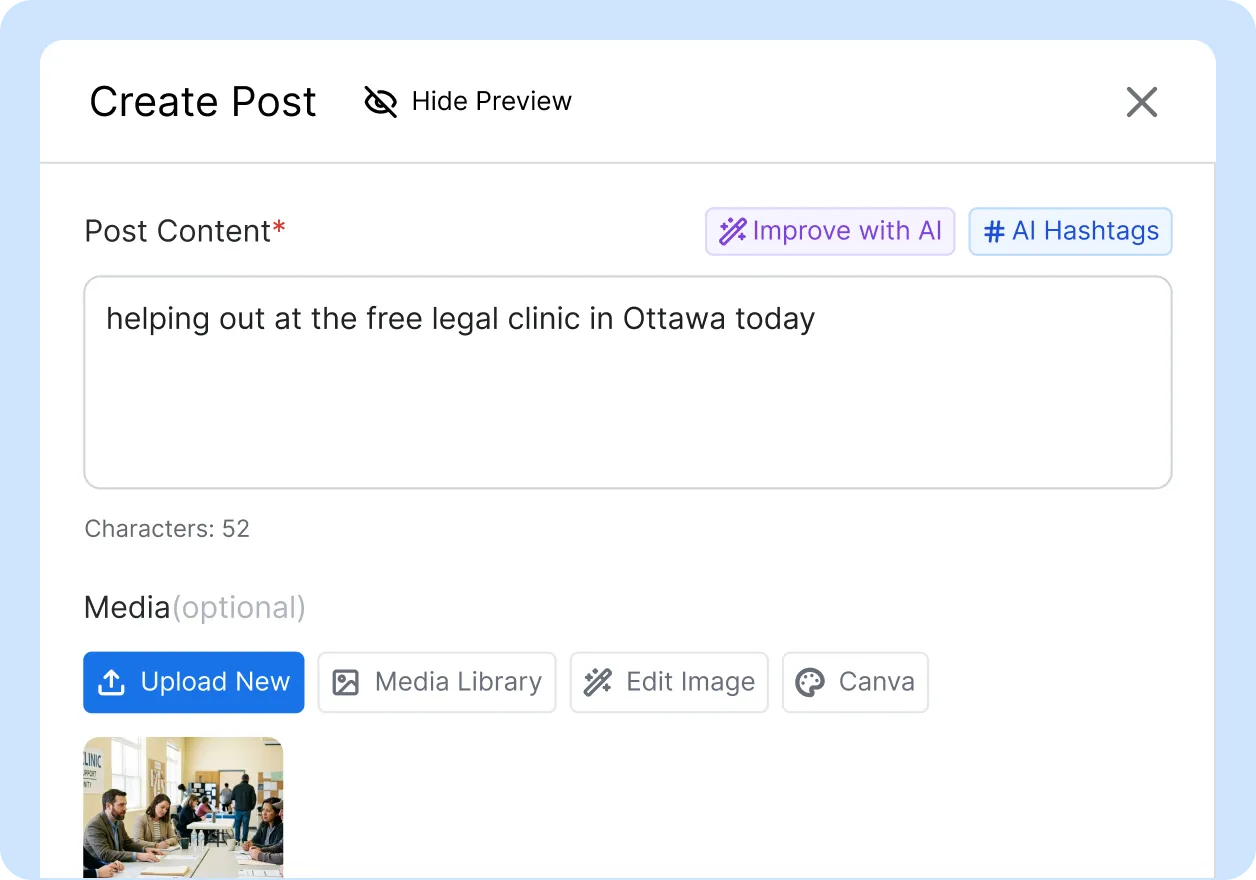
Your chain reviews
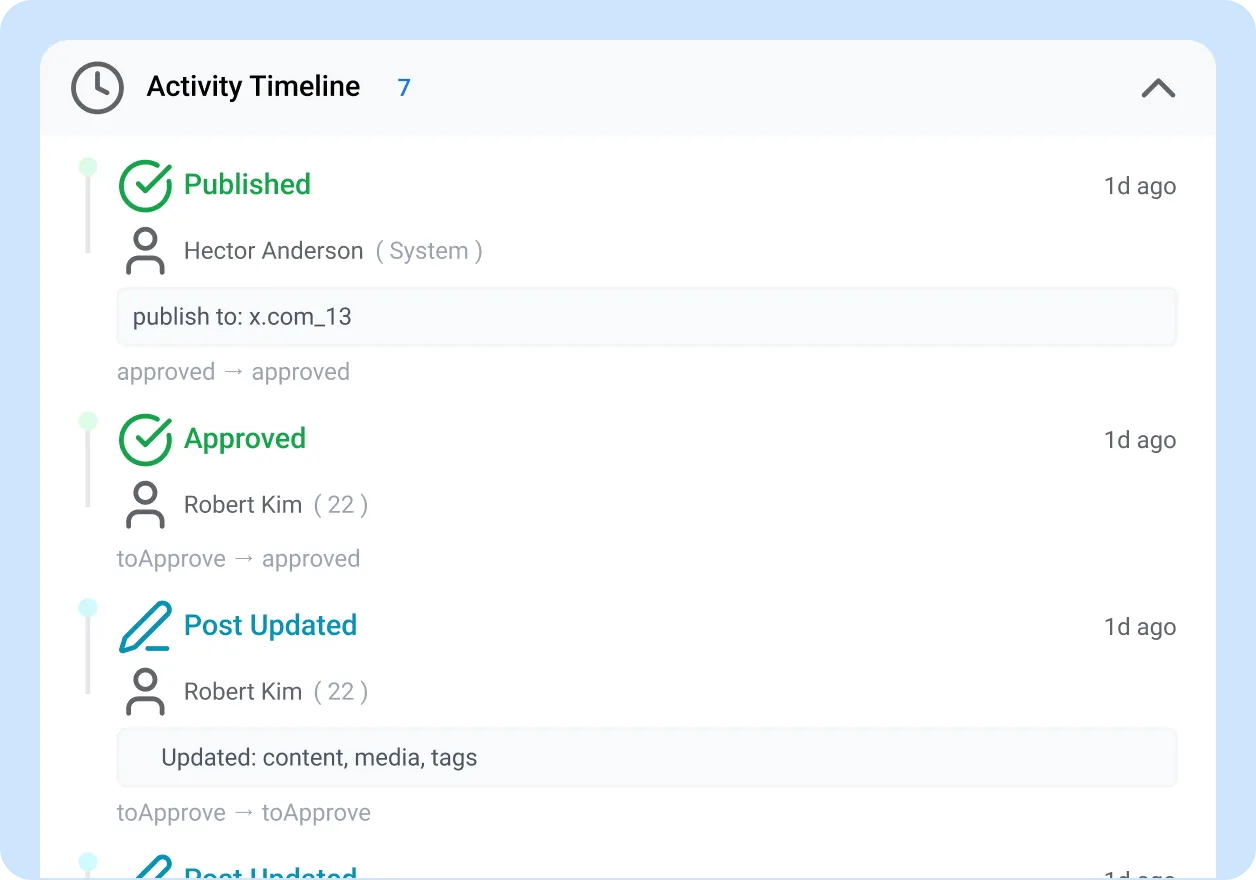
The post flows through your configured approval levels: practice group lead checks accuracy, marketing verifies brand alignment, and the ethics or compliance reviewer screens for solicitor-client privilege, Law Society advertising rules, and confidentiality. Reviewers can approve, reject, or request changes with threaded feedback. Parallel reviewers evaluate simultaneously.
Auto-publish
Once the final reviewer approves, ContentBridge publishes the post to your firm’s official LinkedIn, X, Facebook, and Instagram accounts automatically. The complete audit trail records every action: who created the post, who reviewed it, what changed, and when it went live. This record serves as documentation for Law Society inquiries if needed.
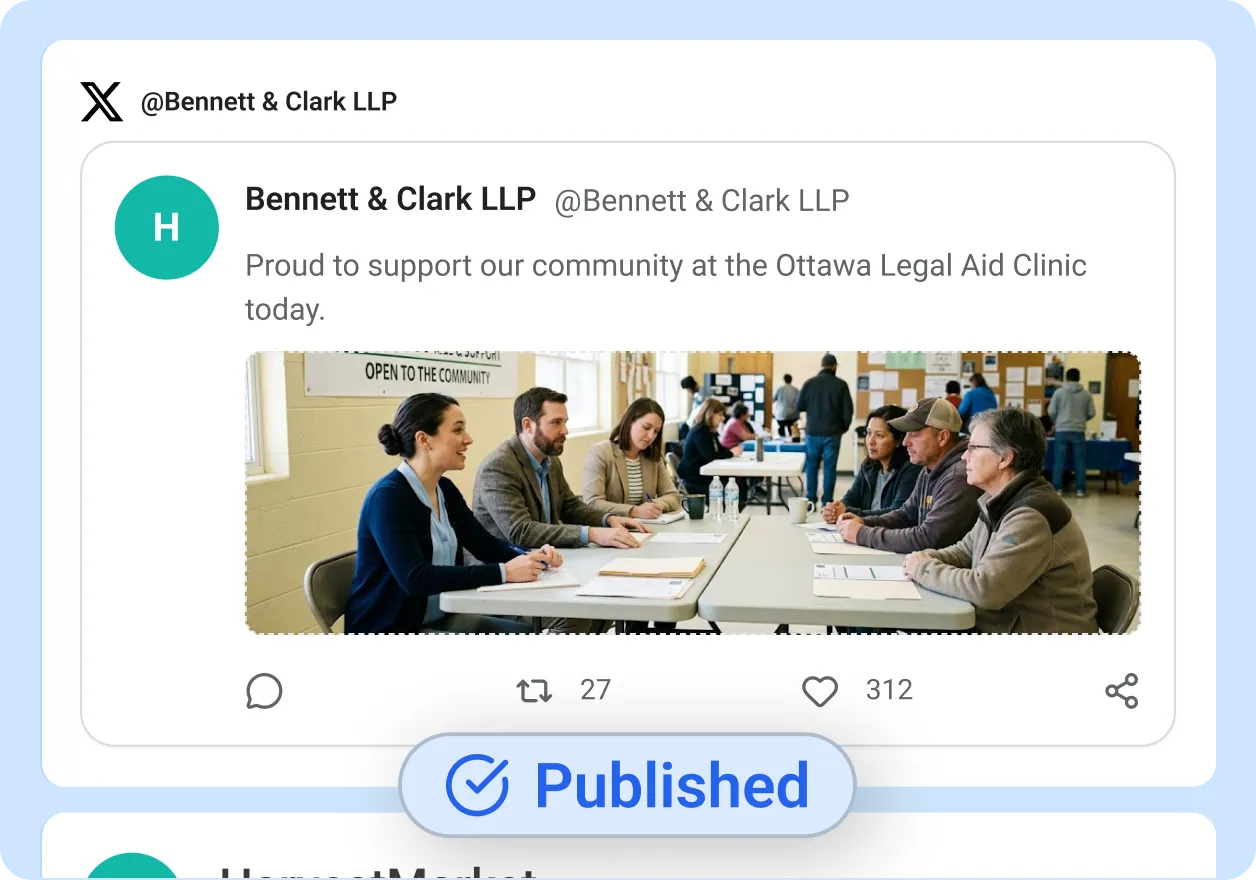
Three Ways Law Firms Build Reputation and Recruit Talent Through Social Media
The content that performs best for law firms is the content your frontline workers already experience every week.

Thought leadership and case commentary
Partners and associates share commentary on court decisions, legislative changes, and legal trends. Content guidelines flag posts that reference active cases, sealed matters, or client-identifiable fact patterns for mandatory ethics review before publication. According to the ABA, 97% of firms with 100+ lawyers are on LinkedIn. Thought leadership content is the primary driver of business development on that platform.
Powered by: content creation + content guidelines + AI compliance

Recruitment and employer branding
“Day at the firm” content from associates, articling students, and summer students across offices. According to the ABA, 70% of lawyers on social media use it for career development. A general counsel at a technology company told MLA Global: “I literally hired a firm because of their social media presence.” Authentic content from your lawyers attracts lateral hires and articling candidates who want to see what the firm is actually like.
Powered by: contributor reports + leaderboards

Events, pro bono, and community involvement
Lawyers document pro bono clinics, firm charity events, legal aid work, conference panels, and community sponsorships from their phones. Associates and articling students capture authentic moments that no stock photographer or marketing agency can replicate. This is the content that builds firm reputation beyond billable hours and differentiates your firm in a competitive lateral market. Each submission enters the approval chain for brand and confidentiality review before publication.
Powered by: media gallery + approval workflows
Six Capabilities Built for Multi-Office Law Firm Operations
Social media management for legal teams requires capabilities that general-purpose tools do not offer. These are the features that matter when your content comes from distributed professionals, not from a marketing desk.
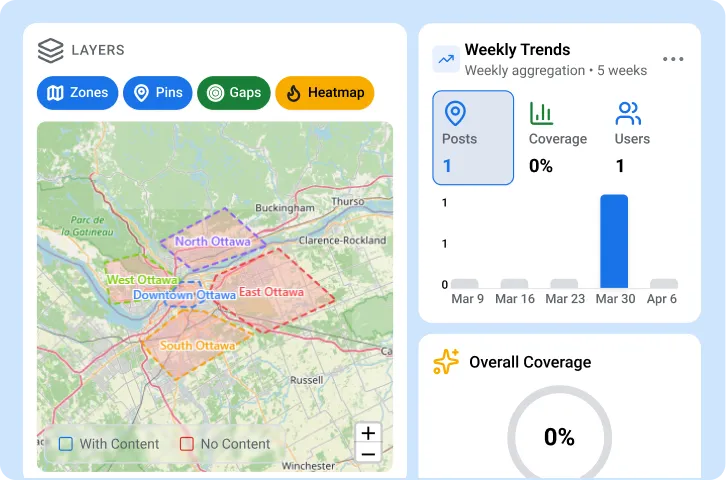
Multi-office coverage maps
Interactive maps show which offices and practice groups are creating content and which have gone silent. Filter by office, practice area, or date range. Role-based access ensures each practice group sees only its own content while your marketing team maintains firm-wide visibility. Coverage trend reports reveal whether content activity is growing or declining week over week.
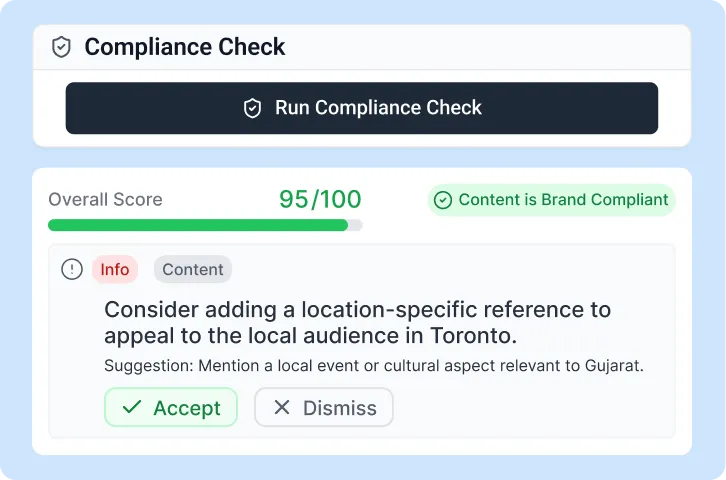
Content guidelines for Law Society compliance
Configure compliance rules that flag prohibited terms such as “specialist,” “expert,” “best,” or “#1” unless the lawyer holds a certified specialization. The AI compliance check screens for emotional appeals, unsubstantiated superiority claims, and references to past results without disclaimers. Rules are configurable per jurisdiction.

Media gallery for law firm visuals
Browse every photo and video captured across all offices in a searchable, Pinterest-style gallery. Filter by office, practice group, event type, and creator. Approved visuals are automatically tagged with metadata for easy retrieval. Bulk-export collections for website updates, recruitment brochures, or client presentations.
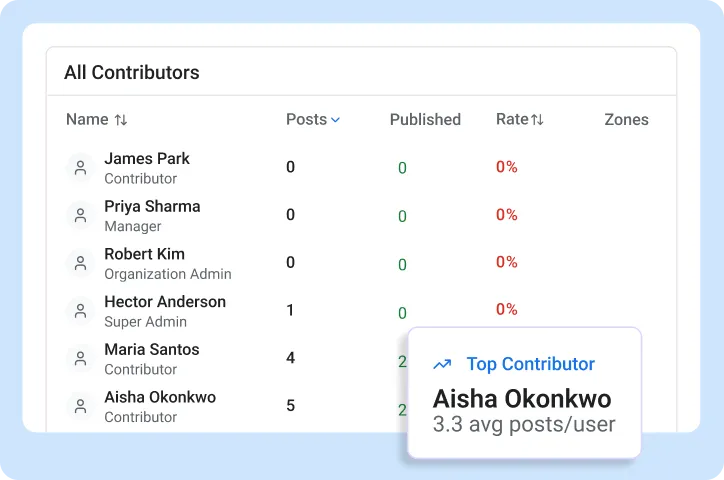
Leaderboards and contributor reports
Ranked contributor lists with gold, silver, and bronze medals show which offices and practice groups are most active. Filter by office, practice area, or time period. Weekly and monthly leaderboards create friendly competition that drives content volume without firm-wide mandates.
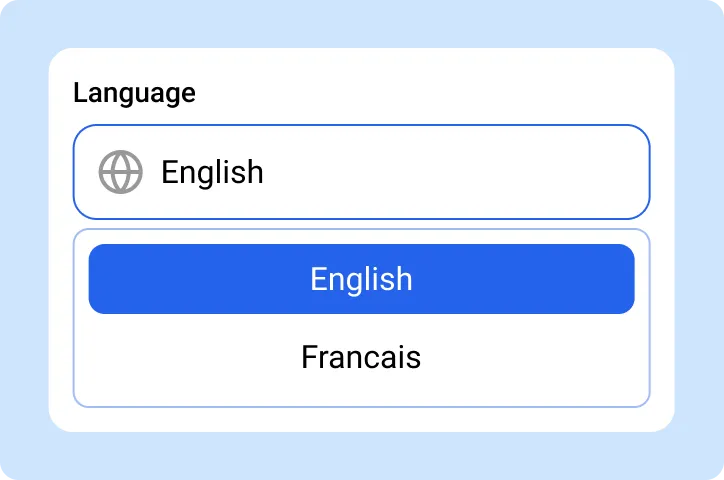
Bilingual support (EN/FR)
The full platform operates in English and French. Content creation, approval workflows, notifications, and the help centre are available in both languages. For national firms with offices in Montreal or Quebec City, bilingual capability supports compliance with the Charter of the French Language.
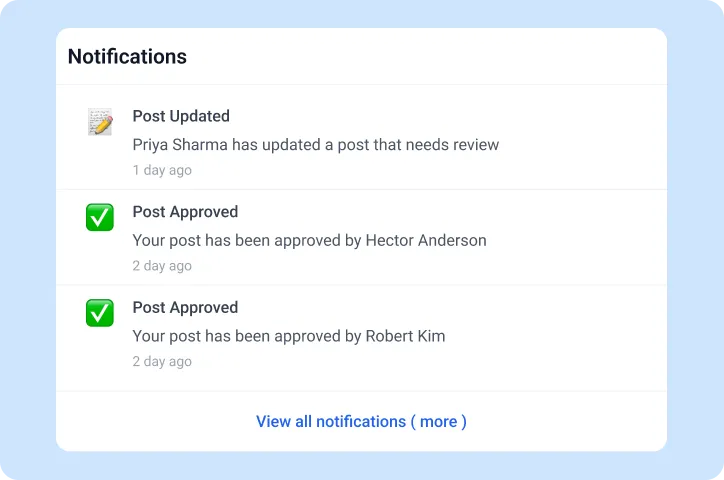
Real-time notifications
Push notifications arrive the instant a post needs review. WebSocket-powered live updates keep the approval queue current with no page refreshes. Your marketing team and ethics reviewers can respond from any device without logging into the dashboard. When a partner submits a time-sensitive announcement from a conference, the next reviewer sees it within seconds.

“Before ContentBridge, our lawyers either posted to personal LinkedIn without review or did not post at all. We had no system for capturing the industry panels, client seminars, and charity work our 350 lawyers participate in every month. Four months after rollout, over 120 lawyers across five offices submit content regularly. Every post goes through our marketing team and professional responsibility counsel before publication. Approval turnaround averages under 12 hours, and lateral recruitment inquiries are up 35%.”

Catherine Nguyen, Director of Marketing and Business Development
Legal Compliance Followed in Every Post
Law Society rules, solicitor-client privilege, and privacy legislation govern every post your firm publishes. ContentBridge gives your reviewers the workflow and audit trail to enforce compliance before anything goes live.

Law Society advertising rules
Under LSO Rule 4.2-1, all marketing must be demonstrably true, accurate, and verifiable. Lawyers cannot claim “specialist” or “expert” unless certified by their law society. Emotional appeals and unsubstantiated superiority claims are prohibited. ContentBridge’s content guidelines flag prohibited language before the post enters the approval queue. Your compliance reviewer gives final sign-off.

Solicitor-client privilege and confidentiality
Even anonymized case details can identify clients in high-profile matters. The New York State Bar Association has ruled that “disguising names of the parties in an apparent attempt to preserve confidentiality does not save the day.” ContentBridge’s approval chain routes case-related content through your ethics reviewer. Content guidelines flag posts referencing active matters, sealed documents, or specific fact patterns.

PIPEDA: Event and client photography
Using identifiable photos of clients, event attendees, or staff for social media marketing requires consent under PIPEDA. Provincial equivalents (BC PIPA, Alberta PIPA) apply for intra-provincial activities. Law firm events such as networking receptions and charity galas frequently involve identifiable attendees. ContentBridge’s content guidelines flag posts with identifiable individuals for consent review through the approval workflow.

Multi-jurisdictional compliance
Provincial advertising rules diverge on key terms and conduct standards, and what passes compliance review in one jurisdiction may trigger a disciplinary inquiry in another. The Law Society of BC concluded that rude social media comments about another lawyer constitute marketing and are subject to professional conduct rules. ContentBridge’s content guidelines are configurable per office and jurisdiction, so each post is screened against its origin province’s standards.

CASL compliance for firm communications
Firm newsletters, event invitations, and marketing messages distributed via social media or email require compliance with Canada’s Anti-Spam Legislation. CASL mandates sender identification, contact information, and unsubscribe mechanisms. Social media posts that link to gated content or registration pages may also trigger CASL requirements. ContentBridge’s content guidelines can flag promotional content for CASL review before publication.

Records and discovery
Social media posts can be discoverable in litigation. A lawyer whose client’s case settled was suspended for 60 days after tweeting unredacted portions of a sealed settlement agreement. ContentBridge’s audit trail provides a complete, timestamped record of every post’s lifecycle, from initial draft through each reviewer’s decision to final publication. All records are exportable for your firm’s e-discovery and records retention requirements.
Compliance depends on proper configuration and your firm’s specific policies. Consult your ethics committee or law society for complete compliance verification.
Common Questions About ContentBridge for Law Firms
Does ContentBridge work for law firms with offices across multiple provinces?
Yes. ContentBridge supports firms operating across multiple provinces, each with its own Law Society rules. Each office has its own approval chain, content guidelines, and connected social accounts. Your national marketing team sees every office from a single dashboard. You configure separate compliance rules per jurisdiction so that a post from your Vancouver office follows Law Society of BC guidelines while a post from your Toronto office follows LSO rules.
How does ContentBridge help law firms comply with Law Society advertising rules?
You configure your firm’s Law Society advertising rules once, and ContentBridge applies them to every post before it enters the approval queue. If a post contains prohibited language or claims that violate your provincial law society’s standards, the system flags it and routes it to your compliance reviewer. The reviewer approves, requests changes, or rejects the post with documented feedback. Every decision is recorded in the audit trail, providing proof of compliance for any Law Society inquiry.
Can ContentBridge prevent associates from accidentally revealing confidential client information?
ContentBridge’s multi-level approval workflow routes every post through your configured reviewers before publication. Your compliance rules identify posts that discuss ongoing litigation, reference court documents, or describe fact patterns that could reveal client identity, and route them directly to your ethics reviewer. The platform does not replace your professional judgment, but it provides a structured checkpoint so that sensitive content is always reviewed before it reaches your firm’s official accounts.
How do we get lawyers to actually create content when they bill 1,800+ hours a year?
ContentBridge is designed for frontline workers whose primary job is not social media. Creating a post takes under two minutes: take a photo at an event, write a caption, and submit. Lawyers do not need training in platform algorithms, scheduling, or brand guidelines. The approval chain handles compliance and brand review. Leaderboards and contributor reports create visibility across practice groups and offices. Firms that activate ContentBridge typically see lawyer adoption within the first three weeks.
How quickly can a law firm get started with ContentBridge?
Most law firms have their first office configured and submitting posts within one day. ContentBridge includes legal industry templates that pre-configure common practice group structures and approval hierarchies. You add offices, invite lawyers and staff through bulk CSV import or shareable invite links, and configure approval chains at your own pace. A firm with six offices typically completes full rollout within two to three weeks.
Other Industries Using ContentBridge
Law firms are one of the industries ContentBridge serves. See how frontline content creation works in other verticals.

Government agencies
Provincial and federal agencies empower every department to communicate with constituents through controlled approval workflows and bilingual support.

Healthcare
Hospitals and healthcare networks empower every clinic to share patient success stories and health advisories with PHIPA-compliant approval workflows.

Franchises
Multi-location franchises empower every franchisee to create authentic local content while corporate enforces brand standards through approval workflows.